
What's New In Autodesk Inventor Pro 2025?
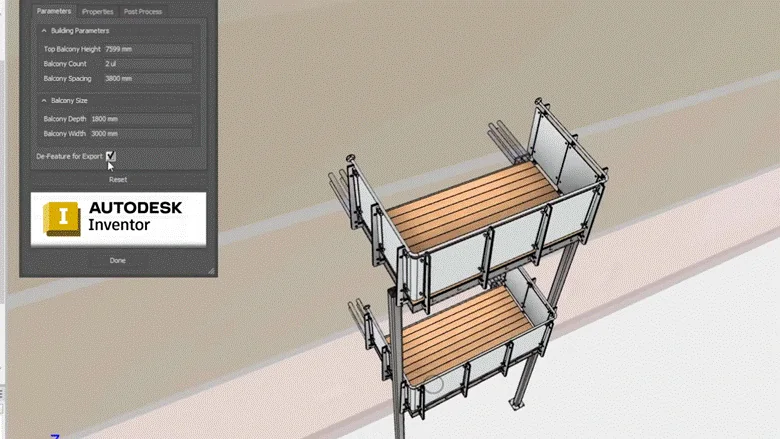
What's New In Autodesk Inventor Pro 2025? The 2025 release focuses on performance, modeling control, usability, interoperability, standards-based documentation, Revit exchange, IFC import, finish features, sheet metal workflows, drawings, and translator updates. Autodesk’s Inventor 2025 release notes describe improvements to performance, automation, and core modeling workflows, along with Autodesk Cloud connectivity.
For mechanical design teams, the important question is not only what changed, but whether those changes improve daily part modeling, assembly work, drawings, manufacturing documentation, and file exchange. ProSoftStore helps buyers review those changes before choosing or upgrading a CAD license.
Quick Check
Compare 3d mechanical cad software at ProSoftStore before choosing Autodesk Inventor Pro 2025 for mechanical design, documentation, simulation, and manufacturing workflows.
What's New In Autodesk Inventor Pro 2025?

What's New In Autodesk Inventor Pro 2025? Autodesk groups the release around four broad themes: performance, modern look and usability, interoperability, and standards adherence. The official overview highlights pattern improvements, faster Finish-feature workflows, improved sheet metal commands, Revit export to earlier versions, improved IFC import, updated 2D and 3D documentation capabilities, transition annotations, surface texture symbols, and drawing-view enhancements.
| Inventor Pro 2025 area | What changed | Why it matters |
|---|---|---|
| Performance | Feature and sketch pattern improvements | Faster controlled repetition in part and sketch workflows |
| Finish features | Include/exclude selectors, selection priority, derived finish support | Better downstream manufacturing and specification control |
| Sheet metal | Improved Flange, Face, and Cut workflows | More modern in-canvas sheet metal editing |
| Assemblies | Presentation, simplify, weld symbol, model state, and bolted connection updates | Better mechanical design communication and assembly handling |
| Drawings | Annotation, style, table, drawing-view, break-line, and transition symbol updates | Cleaner manufacturing documentation |
| Interoperability | Revit version export, IFC import, translator updates | Better AEC and cross-CAD collaboration |
| Standards | ISO-related symbol and annotation improvements | Stronger documentation compliance |
| Updates | 2025.1, 2025.2, 2025.3, and later maintenance updates | Ongoing stability, translator, and workflow improvements |
For buyers comparing Inventor with other mechanical CAD tools, the parametric assembly software comparison gives useful context. Inventor Pro 2025 sits in the professional mechanical CAD category, where part modeling, assemblies, drawings, documentation, and manufacturing handoff all matter.
Inventor Pro 2025 Performance Improvements
Autodesk states that performance remained a top priority in Inventor 2025, and the overview specifically calls out improved pattern workflows. In the Part modeling environment, feature patterns can now use a face, multiple faces of the same planar feature, or a sketched boundary so the pattern is limited to the intended area. Sketch patterns also gained boundary-based control, allowing sketch geometry to be patterned only within the selected boundary.
That matters in real mechanical design because repeated features are common. Vent patterns, hole arrays, cutouts, slots, perforations, and repeated sketch geometry can become difficult to manage when the repetition spreads beyond the intended design area. Boundary-based pattern control helps engineers keep repeated geometry closer to design intent.
For teams moving from drafting-style workflows into model-driven CAD, the Inventor versus drafting CAD context is useful. Inventor Pro 2025 is not only about drawing geometry; it is about managing mechanical models that drive downstream documentation.
Finish Feature Updates in Inventor Pro 2025
The Finish feature received several important improvements in Inventor Pro 2025. Autodesk says the previous Finish selector was replaced by two selectors: Include and Exclude. The release also adds selection priority controls for solid or surface bodies versus faces, and finish features can now be derived into target documents through Derive, Make Part, and Make Component workflows.
This is important for manufacturers because finish information is part of product definition. Surface treatment, appearance, coating, material finishing, heat treatment, texture, and related parameters can affect manufacturing, inspection, purchasing, and documentation.
Autodesk also notes that Finish parameters can be disabled or deleted, extended feature names can be shown in the browser, mirrored assembly components can include applied finishes, and hardness input was changed to a text field so users can enter different units or ranges. These changes make Finish features more useful in production-focused mechanical documentation.
Sheet Metal Workflow Improvements
Inventor Pro 2025 includes sheet metal usability improvements. Autodesk’s overview says Sheet Metal Flange, Face, and Cut commands were streamlined with interactive in-canvas previews and manipulators, configurable property panels, and visual references for termination directions.
Inventor 2025.2 added more sheet metal convenience: corner edges no longer need to be selected one by one for Corner Round and Corner Chamfer workflows, because window selection can be used. That is a practical improvement for sheet metal users who frequently prepare flat patterns, flanges, reliefs, rounded edges, or chamfered features.
For buyers comparing CAD software by mechanical workflow depth, ProSoftStore can help review engineering CAD software options around sheet metal, assemblies, drawings, and documentation requirements.
Assembly Enhancements in Inventor Pro 2025
Assembly work also changed in Inventor Pro 2025. Autodesk’s 2025 overview lists Presentation enhancements, 3D weld symbol creation, Model State updates, Simplify command improvements, mass-property calculation changes for weld features, and Bolted Connection improvements. The Simplify command can now replace components with a simple cylinder, which can help reduce detail for downstream use.
Inventor 2025.1 added a context-menu option for Lock Rotation in Insert constraints, model-state renaming for newly created iParts and iAssemblies, and selected reference point counts in the Bolted Connection Generator. These are smaller updates, but they affect daily assembly behavior and setup speed.
Inventor 2025.2 added more assembly-focused updates, including improved Presentation workflows, model-state handling changes, updated browser icons, a redesigned Bill of Materials dialog with zero-quantity controls, and exported Tube and Pipe style support for default bend radius values.
Model States and BOM Control
Model States are important for variants, suppressed components, alternate configurations, and assembly documentation. Inventor 2025.2 changed how initial dimension edits are captured in Model State tables and improved behavior when a recent file references a missing or renamed model state.
The redesigned Bill of Materials dialog in Inventor 2025.2 adds toolbar controls to show or hide zero-quantity items and to renumber items sequentially when zero-quantity rows are hidden. Autodesk notes that this is affected by suppressed components in model states, and each model state can have its own unique BOM numbering when the option is active.
For teams that need clean assemblies and manufacturing documentation, these updates matter because BOM clarity affects purchasing, production planning, drawing balloons, and revision review.
Drawing Enhancements in Inventor Pro 2025
Inventor Pro 2025 includes several drawing and documentation improvements. Autodesk’s overview lists drawing annotations, drawing-view enhancements, drawing-style updates, transition symbols, table cell merging as a pre-release feature, sketch pattern enhancements, geometry text enhancements, and drawing-related standards improvements.
The 2025 overview also highlights updated 2D surface texture symbols, a new arc dimension symbol for the ISO standard, presets in 3D general profile notes and 2D sheet text, new transition annotations, and configurable break marks on cropped view edges.
Inventor 2025.2 added drawing usability improvements such as highlighting corresponding balloons when Parts List rows are selected, cross-highlighting Parts List rows from selected geometry, component pattern selection in the drawing browser, and a redesigned Break Out dialog.
For drawing setup and documentation consistency, the mechanical drawing data fields reference is useful. Inventor models may drive drawings, but every issued sheet still needs clear drawing identity, revision data, title information, and production notes.
Standards and 3D Annotation Updates
Inventor Pro 2025 adds documentation features tied to standards and model-based definition. Autodesk says the Transition Symbol can now be defined based on ISO 21204:2020, and the command was added to the Symbols panel of the Annotate tab. The release also adds arc-symbol dimension options aligned with ISO 129-1:2018 and surface texture symbols based on ISO 21920-1.
Autodesk also notes that 3D Annotation and Model-Based Definition workflows now support presets in General Note and General Profile Note commands. Presets can include text, symbols, parameters, standard iProperties, and physical properties.
This matters for engineering documentation because teams increasingly need product and manufacturing information to stay connected to the 3D model. If a buyer is comparing Inventor Pro 2025 with higher-end engineering CAD, the advanced CAD capability markers can help define what “advanced CAD” means in a production setting.
Revit Interoperability Improvements
Inventor Pro 2025 improved Revit interoperability. Autodesk says the 2025 release allows users to export to Revit 2023 and newer versions, and the Revit version option is available in workflows such as Simplify and Export Building Components. Autodesk also says RFA file output fidelity was improved.
Inventor 2025.2 added AEC Properties access on the Inspect tab for assemblies, so users can view imported IFC properties for selected components. Autodesk also says Inventor 2025.2 supports opening future Revit files, though the feature depends on future Revit versions becoming available.
This matters when mechanical equipment, fabricated assemblies, or product models must be shared with AEC teams. For construction-focused buyers, the construction design deliverable planning article helps separate mechanical design needs from architectural documentation needs.
IFC Import in Inventor Pro 2025
Inventor Pro 2025 added IFC import capability. Autodesk says users can make import choices that affect performance, imported data, IFC properties, and parameters. The import dialog lets users control which content is imported, how it is represented in the modeling environment, and whether IFC classes or individual elements are included or excluded.
This is useful for teams that need to bring building or AEC data into a mechanical design environment. A manufacturer designing equipment for buildings, for example, may need enough building context to check fit, clearances, or placement without importing unnecessary geometry.
For buyers comparing Inventor workflows with architecture-focused software, the building-plan software workflow contrast gives helpful context. AEC interoperability does not make Inventor an architecture-first tool; it helps mechanical teams work better with AEC data.
Translator and AnyCAD Updates
Inventor Pro 2025 includes translator updates, and later 2025 releases expanded version support. Autodesk’s 2025.3 update says Inventor 2025.3 can reference Inventor 2026 part and assembly files through Open, Place, or Derive workflows. The same update lists translator support for importing CATIA V4 from CATIA V5-6R2024, Creo 11, Granite 17, and NX2406, plus export support for Granite 17.
Inventor 2025.2 also improved AutoCAD drawing export: Autodesk says Inventor now supports exporting Inventor drawing files with multiline properties as AutoCAD DWG files, where those properties were previously ignored.
For buyers comparing product-design platforms across vendors, the Creo release-note comparison context is relevant because translator support and version compatibility often affect mixed-CAD teams.
Presentation Workflow Updates
Inventor Pro 2025 improved Presentation workflows. Autodesk says users can now replace the source model in a Presentation, using a process similar to replacing a model reference in drawings. Users can also change model states for the reference model through the same file-open options workflow.
Inventor 2025.2 added the ability to search dependent document iProperties in IPN files and select desired Model States from the Presentation scene context menu.
These updates are useful when engineering teams need exploded views, assembly instructions, visual references, internal documentation, or manufacturing communication. A design model is not only for modeling; it often supports manuals, reviews, procurement, and production planning.
Graphics and Usability Improvements
Inventor Pro 2025 includes visual and usability improvements. Autodesk’s overview says sketch line rendering was refined and component face and edge selection highlighting was improved. The same overview also calls out modernized Sheet Metal Flange, Face, and Cut workflows with in-canvas previews and manipulators.
Autodesk’s 2025 “What’s New” index lists graphics improvements, decal and shared view enhancements, iLogic enhancements, Shape Generator report output, spreadsheet editor selection, and performance improvements under the General section.
For buyers comparing visual modeling versus mechanical documentation, the concept modeling versus mechanical documentation comparison can help. Inventor’s visual improvements support mechanical CAD workflows, but the software is still aimed at product design and engineering documentation.
iLogic, Automation, and Shape Generator
Inventor Pro 2025 includes automation-related improvements. Autodesk’s “What’s New” index lists iLogic enhancements and a Shape Generator enhancement that can generate a report of Shape Generator results. The 2025 release notes also describe improvements to automation and core modeling workflows.
Automation matters because engineering teams repeat design logic. Parameters, rules, configurations, generated variants, repeated component structures, and standard part families can all benefit from automation when used carefully.
For buyers comparing CAD with calculation or technical computing workflows, the calculation and CAD documentation split is useful. Inventor automation supports CAD workflows, while technical computing tools handle different engineering tasks such as numerical analysis, algorithms, and data modeling.
Inventor Pro 2025.1 Updates
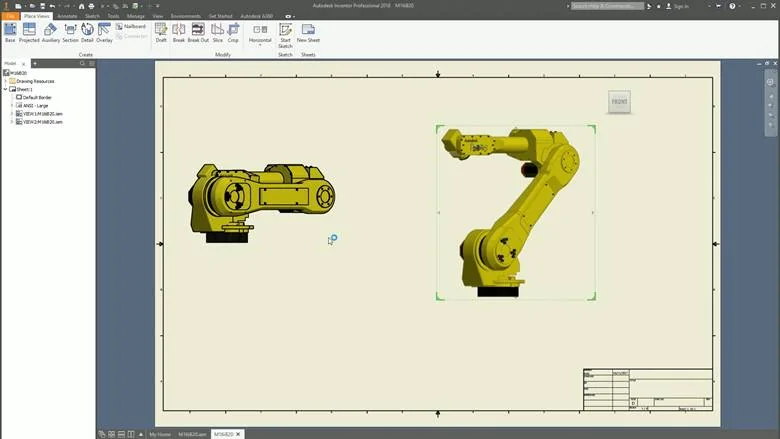
Inventor 2025.1 brought targeted improvements rather than a full new release. Autodesk lists assembly enhancements such as Lock Rotation in the Insert constraint context menu, immediate model-state renaming in iParts and iAssemblies, and selected reference count display in the Bolted Connection Generator.
These changes are not headline-grabbing, but they matter in everyday CAD use. Constraint control, model-state naming, and bolted connection feedback affect how quickly mechanical designers can prepare stable assemblies.
For buyers comparing Inventor Pro 2025 with other model-driven CAD environments, the direct modeling cleanup workflow can help explain why modeling method and edit style matter alongside release features.
Inventor Pro 2025.2 Updates
Inventor 2025.2 added updates across assemblies, parts, drawings, sketches, Revit interoperability, translators, and general workflows. Autodesk’s 2025 “What’s New” index lists separate sections for Assembly Enhancements, Part Enhancements, Drawing Enhancements, Sketch Enhancements, General Enhancements, Revit Interoperability Enhancements, and Translator Enhancements.
Specific 2025.2 examples include BOM zero-quantity toggles, Tube and Pipe bend-radius style export, sheet metal window selection for corner rounds and chamfers, realistic preview for Combine, drawing cross-highlighting between balloons and Parts Lists, AEC Properties access, future Revit file support, and AutoCAD DWG multiline-property export.
This makes 2025.2 important for production teams because it touches multiple daily work areas: assemblies, sheet metal, drawings, AEC coordination, and cross-file exchange.
Inventor Pro 2025.3 Updates
Inventor 2025.3 focused on future-version referencing and translator support. Autodesk says Inventor 2025.3 can reference Inventor 2026 part and assembly files, using Open, Place, or Derive. It also added import support for newer versions of CATIA, Creo, Granite, and NX formats, along with Granite export support.
This matters for mixed-version teams. A supplier, partner, or customer may move to a newer release before your team does. AnyCAD support for newer Inventor files can reduce friction, although Autodesk notes that users must have Inventor 2025.3 installed for this capability.
For buyers considering upgrade timing, translator and version support can be more important than a single modeling feature. Compatibility affects whether teams can work with incoming files without interrupting production.
Inventor Pro 2025.5 Maintenance Context
As of Autodesk’s Inventor 2025 update notes, the 2025.5 update was released in September 2026 and includes many stability and fix items across add-ins, 3D annotations, Content Center, Frame Generator, Dynamic Simulation, Task Scheduler, Tube and Pipe, iLogic, assemblies, drawings, Model States, parts, sheet metal, platform, graphics, presentations, and browser/printing workflows. Autodesk also notes a .NET 10-related compatibility consideration for Vault add-ins and recommends Vault users coordinate Inventor and Vault updates.
For buyers, the key point is that “What’s New In Autodesk Inventor Pro 2025?” should include both the original 2025 feature release and the later update stream. Point updates may affect stability, compatibility, add-ins, and daily workflows as much as headline features.
A team using Vault, Content Center, Frame Generator, Dynamic Simulation, Tube and Pipe, or heavy drawing workflows should review update notes before installing any maintenance update in production.
Inventor Pro 2025 for Mechanical Design
Autodesk describes Inventor as 3D CAD software that provides mechanical design, documentation, and simulation tools. Autodesk also describes Inventor as including parametric, direct, freeform, and rules-based design, plus tools for machine design, sheet metal, frame design, tube and pipe, cable and harness, and model-based definition.
That makes Inventor Pro 2025 a serious mechanical CAD option for teams that need part modeling, assemblies, drawings, sheet metal, frame design, documentation, and mechanical product workflows.
For buyers evaluating mechanical CAD categories, the CAD category definitions for buyers can help. Inventor is not a simple visual modeler or drafting-only tool; it is a mechanical design and engineering CAD platform.
Inventor Pro 2025 for Manufacturing
Inventor Pro 2025 improvements affect manufacturing documentation through Finish features, drawings, standards updates, BOM controls, sheet metal workflows, and model-based definition. Autodesk’s 2025 overview highlights updates to documentation capabilities for manufacturing collaboration, including hole representations, promoted sketch or feature dimensions into 3D annotations, surface texture symbols, transition annotations, arc dimension symbols, and crop-view break marks.
Manufacturing teams should pay attention to whether the new documentation features match their standards and supplier requirements. A stronger CAD release is useful only if it improves drawing clarity, part definition, manufacturing notes, revision control, or production communication.
For CNC-focused workflows, the machining workflow handoff reference helps separate CAD design from CAM programming. Inventor can define and document mechanical geometry, but machining may still require dedicated CAM workflows.
Inventor Pro 2025 for Simulation Workflows
Inventor’s broader product positioning includes mechanical design, documentation, and simulation tools. Autodesk describes Inventor as providing mechanical design, documentation, and simulation tools and supporting 3D modeling and simulation capabilities for product performance.
Inventor Pro 2025’s release notes and maintenance updates also reference simulation-related areas, including Dynamic Simulation stability improvements in the 2025.5 update.
For buyers comparing CAD with simulation-oriented tools, the service decision should focus on whether the team needs design validation inside mechanical CAD, dedicated simulation software, or both. ProSoftStore helps buyers compare CAD software by the design and analysis workflow instead of only by product name.
Inventor Pro 2025 for 3D Printing
Inventor Pro 2025 can support mechanical design workflows that later lead to 3D printing, especially when parts need dimensional control, engineering documentation, and manufacturing intent. However, 3D printing also requires export, model checking, slicing, printer preparation, and material/process decisions.
For simpler additive workflows, the printable mechanical part CAD basics article helps buyers compare lighter tools. For process clarity, the CAD model versus slicer stage explains why CAD and slicer software serve different jobs.
If a buyer expects printer-included software to replace mechanical CAD, the printer-included design software limits reference can help set realistic expectations.
Inventor Pro 2025 and CAD Market Fit
Inventor Pro 2025 belongs in the professional mechanical CAD category. It is different from architecture-focused CAD, drafting-only CAD, visual modeling tools, CAM programming software, technical computing platforms, and direct-modeling cleanup tools.
For buyers comparing broad 3D software options, the 3D modeling selection criteria article can help sort the options. For a wider view, the CAD market scope reference explains why many CAD tools exist for different workflows.
This matters because Inventor Pro 2025 should be judged against the right category. It is best evaluated as mechanical CAD for product design, not as a replacement for every design, analysis, architecture, or machining tool.
Inventor Pro 2025 vs Creo and AutoCAD Context
Inventor Pro 2025 is often compared with other mechanical CAD systems, not just general drafting software. Creo, SolidWorks, and Inventor all sit closer to mechanical product design than AutoCAD-style drafting workflows.
For category context, the Creo and AutoCAD workflow separation helps explain why drafting CAD and parametric engineering CAD are different. Inventor Pro 2025 belongs closer to product design and mechanical engineering than to basic drawing-only workflows.
Buyers comparing advanced CAD options should also review release cycles. The Inventor 2025 and Creo update comparison is useful when teams need to understand how different CAD platforms evolve through yearly releases and point updates.
Inventor Pro 2025 Cost and Upgrade Planning
Inventor Pro 2025 should be evaluated by workflow value, not only purchase price. New features may justify an upgrade if they improve sheet metal workflows, Finish features, drawing documentation, Revit/IFC exchange, BOM control, translator compatibility, automation, or production stability.
The cost question should include license terms, renewal planning, workstation needs, training, templates, add-ins, Vault coordination, file migration, and update timing. Autodesk’s 2025.5 update notes show why deployment planning matters: some updates can affect add-ins and connected workflows, especially for Vault users.
For CAD budgeting, the mechanical CAD cost variables guide can help buyers compare license cost against productivity, compatibility, and rework reduction.
Inventor Pro 2025 and CAM Updates
Inventor Pro 2025 is a mechanical CAD release, not a dedicated CAM release. However, manufacturing teams often evaluate CAD changes beside CAM changes because both affect design-to-production workflows.
Inventor 2025 improves documentation, Finish features, interoperability, and mechanical modeling workflows, while CAM software updates usually focus more directly on toolpaths, machining strategies, machine support, and post-processing.
For shops that also evaluate CAM versions, the CAM upgrade decision factors article is useful. CAD release value and CAM release value should be judged by different production bottlenecks.
When Inventor Pro 2025 Is Worth Reviewing
Inventor Pro 2025 is worth reviewing when your team uses sheet metal, assemblies, drawings, Revit exchange, IFC data, manufacturing documentation, finish specifications, model states, BOMs, or translator-heavy workflows. The 2025 release is not just a cosmetic update; Autodesk’s overview shows changes across performance, usability, interoperability, and standards adherence.
It is also worth reviewing if your team works with mixed CAD versions or supplier files. Inventor 2025.3’s ability to reference Inventor 2026 part and assembly files and updated translator support can reduce version friction in some environments.
The strongest reason to upgrade is not novelty. It is whether the new version removes friction from everyday mechanical design, drawings, collaboration, and production documentation.
How ProSoftStore Helps Buyers Choose?
What's New In Autodesk Inventor Pro 2025? The release improves mechanical design workflows through performance updates, pattern controls, Finish features, sheet metal usability, assembly improvements, drawing standards, Revit interoperability, IFC import, translator updates, and later maintenance fixes. For teams using Inventor heavily, these changes can affect real production work.
ProSoftStore helps buyers compare CAD software by deliverable: parts, assemblies, drawings, simulation workflows, manufacturing documentation, 3D printing files, construction coordination, or imported CAD exchange. That keeps the buying decision tied to practical output.
If your team needs mechanical design, documentation, and production-ready CAD workflows, ProSoftStore can help you view current Inventor Professional versions and pricing and choose a license that fits your engineering workflow.
FAQs
What's New In Autodesk Inventor Pro 2025?
What's New In Autodesk Inventor Pro 2025? Autodesk’s 2025 release focuses on performance, usability, interoperability, and standards adherence. Key updates include feature and sketch pattern improvements, Finish feature changes, sheet metal workflow modernization, drawing annotation updates, transition symbols, Revit export version control, IFC import, translator updates, and later point-release improvements across assemblies, parts, drawings, Revit interoperability, and file compatibility.
Is Autodesk Inventor Pro 2025 mainly a modeling update?
Autodesk Inventor Pro 2025 is not only a modeling update. Modeling changes are important, especially feature patterns, sketch patterns, Finish features, sheet metal commands, and assembly simplification. However, the release also improves drawings, standards, Revit interoperability, IFC import, translator support, presentations, iLogic, Shape Generator reporting, and general workflow areas. Autodesk’s 2025 “What’s New” index shows updates across assemblies, parts, drawings, sketch, general, interoperability, and translators.
What changed in Inventor Pro 2025 sheet metal tools?
Inventor Pro 2025 improved sheet metal workflows with more modern command behavior. Autodesk’s overview says Sheet Metal Flange, Face, and Cut commands were improved with in-canvas previews, manipulators, configurable property panels, and visual references for termination directions. Inventor 2025.2 also added window selection for Corner Round and Corner Chamfer edge selection, reducing repetitive selection work.
What changed in Inventor Pro 2025 drawings?
Inventor Pro 2025 added drawing and standards improvements, including updated surface texture symbols, ISO arc dimension symbol support, transition annotations, 3D note presets, 2D sheet text presets, and configurable break marks on cropped view edges. Inventor 2025.2 added drawing cross-highlighting between balloons, selected components, and Parts List rows, plus a redesigned Break Out dialog.
Does Inventor Pro 2025 improve Revit workflows?
Yes. Inventor Pro 2025 improves Revit-related workflows by allowing export to Revit 2023 and newer versions through commands such as Simplify and Export Building Components. Autodesk also states that RFA file output fidelity was improved. Inventor 2025.2 added AEC Properties access and support for opening future Revit files, with availability depending on future Revit versions.
Does Inventor Pro 2025 support IFC import?
Yes. Autodesk says Inventor Pro 2025 added IFC import capability. Users can choose what data to import, control performance-related options, view graphical previews, exclude IFC classes or individual elements, and work with IFC properties and parameters. This is useful for mechanical teams that need AEC context without bringing in unnecessary project geometry.
What changed in Inventor Pro 2025.3?
Inventor Pro 2025.3 added AnyCAD support for referencing Inventor 2026 part and assembly files in Inventor 2025. It also updated translator support for importing CATIA V4 from CATIA V5-6R2024, Creo 11, Granite 17, and NX2406, plus export support for Granite 17. Autodesk says Inventor 2025.3 is required for referencing 2026 part and assembly files.
Should users install every Inventor Pro 2025 update?
Users should review each update before installation, especially in production environments. Autodesk says Inventor updates are cumulative, and the 2025.5 update notes list many fixes across add-ins, drawings, assemblies, parts, sheet metal, model states, iLogic, Frame Generator, Dynamic Simulation, and platform areas. Autodesk also warns that .NET 10 updates may create a temporary Vault add-in compatibility gap and recommends coordinating Inventor and Vault updates for uninterrupted workflows.