
Compare SolidWorks Premium VS Ansys SpaceClaim
Compare SolidWorks Premium VS Ansys SpaceClaim when your team needs to decide between a full mechanical CAD design package and a direct modeling tool built for fast geometry preparation. SolidWorks Premium is used for professional product design, assemblies, drawings, routing, simulation, and production documentation.
Ansys SpaceClaim is used for direct geometry editing, model cleanup, concept modeling, reverse engineering, manufacturing preparation, and simulation-ready geometry. ProSoftStore helps CAD buyers compare both tools by workflow, so the license matches what the team needs to create, edit, validate, or prepare.
Quick Check
Compare CAD simulation software at ProSoftStore before choosing between model-driven CAD design and direct geometry preparation for simulation workflows.
Compare SolidWorks Premium VS Ansys SpaceClaim: Core Difference
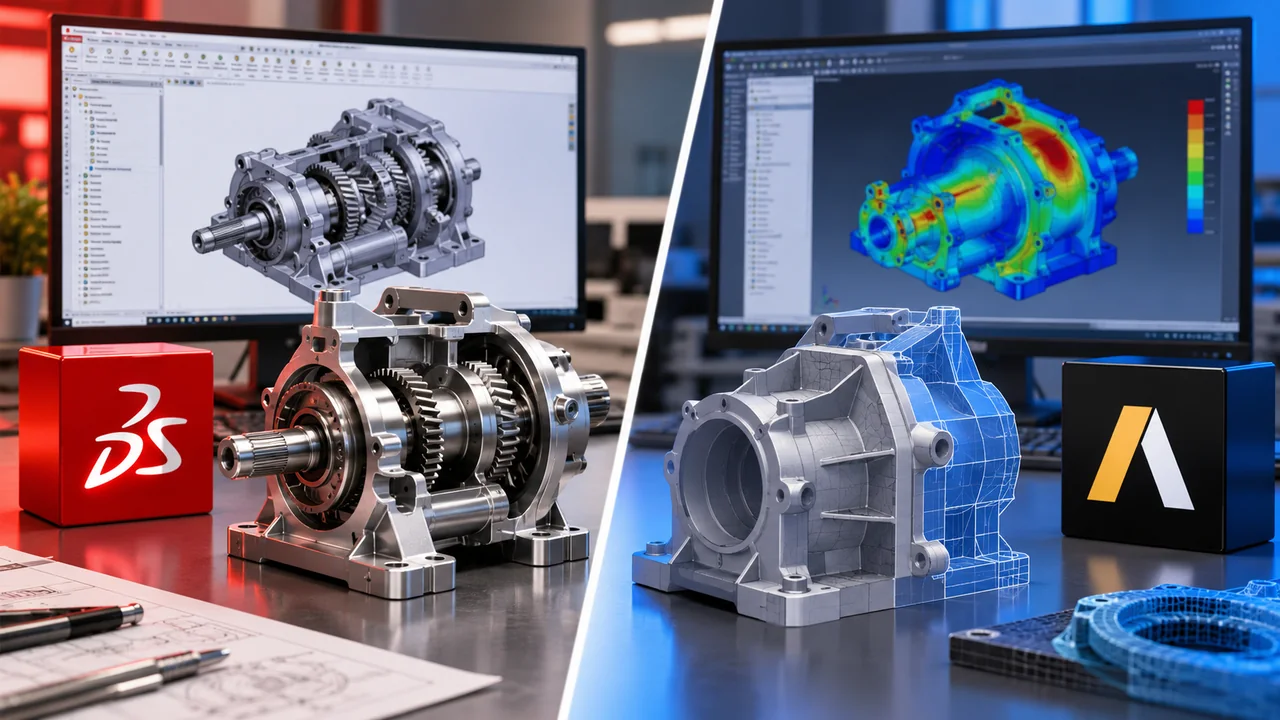
Compare SolidWorks Premium VS Ansys SpaceClaim by asking whether the team needs a complete parametric product design platform or a direct modeling and geometry preparation tool. SOLIDWORKS Design Premium expands design tools with capabilities such as wire and tube routing, circuit board import, photo rendering, kinematics, linear static stress, and more, according to SOLIDWORKS product information. Ansys describes SpaceClaim as a 3D modeling solution that helps engineers prepare geometry for simulation faster and reduce delays between design teams.
| Comparison point | SolidWorks Premium | Ansys SpaceClaim | Practical meaning |
|---|---|---|---|
| Main role | Parametric product design and engineering CAD | Direct geometry editing and simulation preparation | Choose by design stage |
| Modeling style | Feature-based, model-driven CAD workflow | Direct modeling without relying on full design history | Different editing logic |
| Best fit | Parts, assemblies, drawings, routing, validation | CAD cleanup, imported geometry edits, simulation prep | Output decides the tool |
| Simulation connection | Includes simulation-related design validation tools | Prepares geometry for Ansys simulation workflows | Both can support analysis differently |
| Documentation | Production-ready drawings and manufacturing documentation | Geometry editing, simplification, and preparation | SolidWorks is stronger for drawing deliverables |
| Imported geometry | Can import/export many CAD formats | Strong for editing and repairing imported geometry | SpaceClaim is often faster for cleanup |
| Buyer profile | Product design teams and mechanical CAD users | Simulation engineers, analysts, CAE teams, manufacturing prep users | Team role matters |
The main decision is not which tool is “better” in general. SolidWorks Premium is usually the better fit when the team owns the product design and needs controlled parts, assemblies, drawings, and design validation. SpaceClaim is usually the better fit when the team needs to edit, simplify, repair, or prepare geometry from many sources.
SolidWorks Premium Is Full Mechanical CAD
SolidWorks Premium is built around mechanical product design. It supports parts, assemblies, drawings, production-ready documentation, and engineering workflows where the CAD model carries design intent. SOLIDWORKS Design with Cloud Services describes Premium as including electrical cable and wiring harness routing and simulation, while SOLIDWORKS product information positions its design tools around professional product development.
That makes SolidWorks Premium practical when the same team creates the design, revises the design, documents the design, and hands it to manufacturing. A feature-based CAD workflow is useful when dimensions, sketches, mates, relationships, and drawings need to update together.
For buyers comparing general drafting with mechanical CAD, the drafting and product-model structure comparison is useful. SolidWorks Premium belongs in the mechanical design category, not the simple 2D drafting category.
Ansys SpaceClaim Is Direct Modeling Software
Ansys SpaceClaim is built around direct modeling and geometry preparation. Ansys says SpaceClaim provides tools to accelerate geometry preparation and get to simulation sooner. Ansys Learning Hub also describes SpaceClaim as allowing users to create, edit, repair, and prepare typical CAD models and faceted geometry for concept modeling, simulation, manufacturing, and 3D printing.
This makes SpaceClaim practical when a user receives geometry from another CAD system and needs to edit it quickly. A simulation engineer may not need the original feature tree; they may need to remove small fillets, close gaps, simplify complex geometry, split faces, clean imported data, or prepare a model for meshing.
For buyers comparing modeling styles, the CAD modeling method categories can help separate parametric CAD, direct modeling, drafting, and specialized workflows.
Parametric Modeling vs Direct Modeling
The biggest difference when you compare SolidWorks Premium VS Ansys SpaceClaim is the modeling logic. SolidWorks Premium is built around parametric feature history, where sketches, dimensions, features, mates, and drawings connect through design intent. SpaceClaim is built around direct editing, where users can push, pull, move, combine, repair, and simplify geometry without depending on the original model history.
Feature history is useful when the design must be controlled over time. Direct modeling is useful when the user needs fast geometry changes, especially with imported files or models that were not created in the current system.
If your team compares SolidWorks with other parametric systems, the SolidWorks Creo parametric workflow comparison gives useful context. If your team works mainly with incoming models, SpaceClaim’s direct editing approach may be more relevant.
Compare SolidWorks Premium VS Ansys SpaceClaim for Simulation
Simulation is one of the most important reasons to compare these two tools. SolidWorks Premium includes simulation-related design validation inside a familiar CAD environment. SOLIDWORKS Simulation is described as an add-in for SOLIDWORKS Design Standard, Professional, and Premium, with a direct CAD-to-simulation link that keeps simulation models parametrically up to date with CAD geometry.
SpaceClaim approaches simulation differently. Ansys Workbench documentation describes SpaceClaim Direct Modeler as a way to import a clean instance of a 3D model from a CAD system without history-based parameters. Ansys also describes geometry access through Workbench-integrated applications such as SpaceClaim Direct Modeler.
That means SolidWorks Premium is often useful when the designer wants simulation connected to the design model. SpaceClaim is often useful when the analyst wants simulation-ready geometry without depending on the original CAD tree.
Compare SolidWorks Premium VS Ansys SpaceClaim for Product Design
Product design usually favors SolidWorks Premium when the team needs to create controlled mechanical parts and assemblies from scratch. SolidWorks supports model-driven product development, production drawings, assemblies, and structured design changes. SOLIDWORKS product material describes Premium as expanding design tools with routing, circuit board import, photo rendering, kinematics, and linear static stress.
SpaceClaim can create and edit geometry, but it is not usually chosen as the primary product-design system when a team needs long-term feature history, assembly design intent, model-driven drawings, and formal CAD documentation.
For broader product design context, the 3D modeling tool selection context can help buyers decide whether they need mechanical CAD, direct modeling, 3D printing software, visualization software, or simulation-prep software.
Compare SolidWorks Premium VS Ansys SpaceClaim for Imported CAD
Imported CAD is where SpaceClaim becomes especially important. When geometry comes from suppliers, customers, older CAD systems, scan data, or neutral file formats, the original feature history may be missing or unusable. In that case, direct editing can be faster than rebuilding the model.
Ansys describes SpaceClaim as a multipurpose 3D modeling tool for faster engineering results, and its learning materials mention editing, repairing, and preparing CAD models and faceted geometry.
SolidWorks Premium can also import and export CAD data, but its strongest workflow is still model-driven mechanical CAD. Buyers should decide whether they mainly create original designs or mainly repair and prepare incoming geometry.
Compare SolidWorks Premium VS Ansys SpaceClaim for Reverse Engineering
Reverse engineering workflows often favor SpaceClaim because imported scan data, faceted files, and older product geometry usually need cleanup before they can support engineering work. Ansys documentation notes reverse engineering workflows where faceted geometry can be transferred to SpaceClaim to recreate CAD geometry.
SolidWorks Premium can support product development after geometry is defined, but SpaceClaim may be more practical when the first job is turning messy or faceted geometry into usable engineering geometry.
For buyers working with additive workflows and scan-related models, the 3D printing model creation options can also provide useful context. Printable and scanned geometry often require cleanup before downstream use.
Compare SolidWorks Premium VS Ansys SpaceClaim for Drawings
SolidWorks Premium is usually stronger when the final output includes production drawings, assemblies, BOMs, dimensions, tolerances, and drawing sheets. SOLIDWORKS product matrix information describes 2D drawings and 3D manufacturing documentation, as well as advanced CAD file import/export across many translators.
SpaceClaim can help prepare geometry, but drawing production is not its main identity. It is typically used earlier in the CAE, geometry cleanup, or direct editing process, not as the main drawing documentation platform.
For teams that need drawing standards, the mechanical drawing sheet organization guide is relevant. Even when models are 3D, engineering drawings still need identifiers, revision data, views, notes, and approval information.
Compare SolidWorks Premium VS Ansys SpaceClaim for Assemblies
SolidWorks Premium is usually the stronger tool for structured mechanical assemblies. The assembly workflow lets users define relationships between parts, test fit, update dimensions, generate drawings, and control mechanical structure across a product.
SpaceClaim can work with assemblies and imported CAD data, but it is more often used to simplify, repair, modify, or prepare assembly geometry. Ansys Workbench documentation states that SpaceClaim Direct Modeler can import a clean instance of a 3D model from a CAD system without history-based parameters.
If a team is building a product assembly from the ground up, SolidWorks Premium usually fits better. If a team is preparing an existing assembly for simulation or manufacturing review, SpaceClaim may be faster.
Compare SolidWorks Premium VS Ansys SpaceClaim for Manufacturing
Manufacturing workflows can use both tools in different ways. SolidWorks Premium supports product design, production documentation, routing, and validation. SpaceClaim can help prepare geometry for manufacturing, repair CAD issues, and simplify data before downstream work.
Ansys SpaceClaim trial information describes SpaceClaim as supporting rough concepts, detailed designs, fixtures and tooling, and cleanup of 3D CAD scan data. That makes it useful for manufacturing preparation when geometry is incomplete, messy, or imported from different sources.
For CNC-related work, the CAD CAM production workflow can help buyers separate design geometry from toolpath preparation. SolidWorks Premium and SpaceClaim can prepare models, but CAM software may still be needed for machine output.
Compare SolidWorks Premium VS Ansys SpaceClaim for 3D Printing
Both tools can support workflows that lead to 3D printing, but they do so differently. SolidWorks Premium is stronger when a functional printable part needs parametric control, assembly fit, drawings, and later manufacturing documentation. SpaceClaim is useful when geometry needs direct cleanup, faceted editing, repair, or simplification before printing.
Ansys Learning Hub describes SpaceClaim as supporting applications including concept modeling, simulation, manufacturing, and 3D printing.
The CAD slicing workflow difference is important here. SolidWorks Premium or SpaceClaim may create or edit the model, but slicer software prepares that model for the printer.
If the buyer expects printer software to solve design work, the 3D printer design-software boundary can help clarify why separate CAD may still be needed.
Compare SolidWorks Premium VS Ansys SpaceClaim for CAD Cleanup
CAD cleanup is one of SpaceClaim’s clearest strengths. Simulation and manufacturing teams often need to remove unnecessary features, repair bad imports, simplify small details, patch gaps, merge faces, or prepare surfaces before analysis.
Ansys SpaceClaim product information specifically emphasizes geometry preparation for simulation and reducing delays between design teams.
SolidWorks Premium can edit geometry, but if the model was not created in SolidWorks or if the feature history is missing, the cleanup workflow may be slower. That is why SpaceClaim is often used by analysts who receive models from multiple CAD sources.
Compare SolidWorks Premium VS Ansys SpaceClaim for CAE Teams
CAE teams often care less about full product documentation and more about simulation-ready geometry. They need models that mesh reliably, remove irrelevant detail, preserve important design features, and connect cleanly to analysis tools.
SpaceClaim is closely aligned with this work because Ansys positions it around accelerating geometry preparation and getting to simulation sooner. Ansys Workbench documentation also identifies SpaceClaim Direct Modeler as one of the Workbench-integrated geometry applications.
SolidWorks Premium can be useful when the CAE team works directly with the design team and needs a parametric connection between model updates and simulation. The right choice depends on whether simulation happens inside the design loop or after geometry is received from outside teams.
Compare SolidWorks Premium VS Ansys SpaceClaim for Designers
Designers who own the product usually need SolidWorks Premium more than SpaceClaim. They need to create concepts, develop parts, manage assemblies, produce drawings, validate designs, and communicate product intent across engineering and manufacturing.
SpaceClaim is useful for designers who need quick concept modeling or geometry edits, but it is not usually the main long-term design-control environment for mechanical products.
For buyers comparing high-level design categories, the CAD software category overview helps explain why direct modeling, parametric modeling, CAD/CAM, and simulation preparation are separate parts of the CAD market.
Compare SolidWorks Premium VS Ansys SpaceClaim for Construction and Architecture
SolidWorks Premium and Ansys SpaceClaim are not usually the first choices for construction documentation or architectural floor plans. They are more relevant to mechanical product design, simulation preparation, equipment geometry, manufactured components, and product development.
For construction buyers, the construction CAD requirement checklist is more relevant. Construction teams usually need plans, elevations, field documents, revisions, contractor coordination, and file exchange.
Architecture buyers may also benefit from the residential CAD documentation comparison and the concept modeling and drafting comparison, depending on whether they need residential design software, visual modeling, or formal drafting.
Compare SolidWorks Premium VS Ansys SpaceClaim with AutoCAD Context
SolidWorks Premium and SpaceClaim should not be confused with AutoCAD-style drafting. AutoCAD is often used for 2D drafting, DWG documentation, architectural plans, construction drawings, and general CAD geometry. SolidWorks Premium and SpaceClaim are more focused on mechanical design, direct geometry editing, and simulation/manufacturing preparation.
The Creo AutoCAD category distinction helps explain why CAD names can belong to different categories. Not every CAD tool is meant for the same job.
For a buyer moving from drafting into mechanical CAD, the decision should start with the desired output: drawing sheets, controlled mechanical parts, imported geometry edits, simulation models, or manufacturing preparation.
Compare SolidWorks Premium VS Ansys SpaceClaim with MATLAB Context
MATLAB and AutoCAD comparisons can also help buyers understand where SolidWorks Premium and SpaceClaim fit. MATLAB is used for technical computing and analysis, while AutoCAD is used for drafting and documentation. SolidWorks Premium and SpaceClaim sit closer to product geometry and simulation preparation.
The analysis and CAD documentation roles help clarify this software stack. A technical team may use MATLAB for calculations, SolidWorks Premium for mechanical CAD, SpaceClaim for geometry cleanup, and Ansys tools for simulation.
The goal is not to find one tool that does everything. The goal is to connect the right tool to each engineering task.
Compare SolidWorks Premium VS Ansys SpaceClaim and High-End CAD
High-end CAD decisions often involve Creo, SolidWorks, SpaceClaim, simulation software, manufacturing software, and product data workflows. Creo and SolidWorks are generally discussed as parametric mechanical CAD systems, while SpaceClaim is more often discussed as a direct modeling and geometry preparation tool.
The Creo advanced design capability notes can help buyers understand why high-end CAD is evaluated by product complexity, assemblies, simulation, manufacturing, and lifecycle needs.
Buyers comparing advanced design environments should not treat SpaceClaim as a simple replacement for a full parametric CAD platform. It may be more valuable as a fast editing and preparation layer in the engineering workflow.
Compare SolidWorks Premium VS Ansys SpaceClaim Updates
Version updates matter because CAD and simulation workflows change over time. SolidWorks updates may affect modeling, drawings, collaboration, import/export, simulation, and manufacturing documentation. Ansys SpaceClaim updates may affect geometry preparation, direct modeling, CAD import, repair, and simulation-prep workflows.
For broader update planning, the Creo 11 update summary and the Inventor 2025 release overview show how CAD releases can affect modeling and documentation decisions.
Teams with manufacturing workflows may also review the CAM update comparison notes. A software update is useful only when it improves work your team actually performs.
Compare SolidWorks Premium VS Ansys SpaceClaim Cost and Licensing
SolidWorks Premium and Ansys SpaceClaim should be evaluated by total workflow cost. That includes license scope, training, modules, workstation needs, simulation requirements, support, renewal terms, and downstream productivity.
SolidWorks publishes plan and pricing information for SOLIDWORKS Design options, while Ansys SpaceClaim access and pricing may depend on licensing route, Ansys package, reseller guidance, or trial access. SOLIDWORKS Design pricing pages identify multiple plan levels, and Ansys SpaceClaim pages position the product around 3D modeling and geometry preparation.
The CAD license planning factors can help buyers think beyond the first purchase price. The better value is the software that removes the workflow bottleneck: design creation, drawing output, geometry cleanup, simulation prep, or manufacturing handoff.
Compare SolidWorks Premium VS Ansys SpaceClaim for Windows Users

SpaceClaim users should also verify current Ansys platform requirements, GPU needs, license access, Workbench integration, and organizational standards before purchase. Simulation and geometry preparation workflows often depend on more than whether an installer opens.
When to Choose SolidWorks Premium?
Choose SolidWorks Premium when the team needs a full mechanical CAD environment for parts, assemblies, drawings, routing, validation, rendering, and production documentation. It is especially practical when design intent matters and model changes should update related drawings or assembly relationships.
SolidWorks Premium is also a stronger fit when the team owns the product design process from concept to documentation. It can help connect modeling, drawings, design validation, and manufacturing communication in one product-design workflow.
If your main need is controlled product development, ProSoftStore can help compare 3d cad modeling software options that match mechanical design and documentation requirements.
When to Choose Ansys SpaceClaim?
Choose Ansys SpaceClaim when the team needs fast direct editing, imported CAD cleanup, geometry repair, model simplification, reverse engineering preparation, or simulation-ready geometry. It is especially useful when the user receives models from outside CAD systems or needs to prepare files quickly for Ansys simulation workflows.
SpaceClaim is also practical when the user does not need to manage full design history. Analysts, simulation engineers, manufacturing engineers, and geometry-prep users may value speed and flexibility over a traditional parametric tree.
If the main bottleneck is geometry preparation rather than product design ownership, SpaceClaim may be the more practical tool.
How ProSoftStore Helps Buyers Choose?
Compare SolidWorks Premium VS Ansys SpaceClaim by workflow. SolidWorks Premium is usually the stronger fit for full mechanical product design, assemblies, drawings, routing, and design validation. Ansys SpaceClaim is usually the stronger fit for direct geometry editing, imported CAD cleanup, reverse engineering, and simulation preparation.
ProSoftStore helps buyers compare CAD software by real deliverables: mechanical models, simulation-ready geometry, 2D drawings, manufacturing files, 3D printing models, construction documents, and licensing requirements. That makes the purchase more practical than choosing by software name alone.
If full mechanical product design is the better fit, review available SOLIDWORKS Premium versions and listed prices. If direct geometry editing or simulation preparation is the better fit, review available Ansys SpaceClaim versions and listed prices.
FAQs
What is the main difference when you Compare SolidWorks Premium VS Ansys SpaceClaim?
The main difference when you Compare SolidWorks Premium VS Ansys SpaceClaim is that SolidWorks Premium is a full mechanical CAD design package, while Ansys SpaceClaim is a direct modeling and geometry preparation tool. SolidWorks Premium is better aligned with parts, assemblies, drawings, routing, and design validation. SpaceClaim is better aligned with imported geometry edits, simulation preparation, CAD cleanup, and fast direct modeling.
Is SolidWorks Premium better than Ansys SpaceClaim for product design?
SolidWorks Premium is usually better for full product design because it supports feature-based modeling, assemblies, production drawings, design intent, and engineering documentation. SpaceClaim can create and edit geometry, but it is more commonly used for direct editing, model cleanup, and simulation preparation. If a team owns the product from concept to manufacturing documentation, SolidWorks Premium is usually the more complete CAD environment.
Is Ansys SpaceClaim better than SolidWorks Premium for simulation prep?
Ansys SpaceClaim is often better for simulation preparation because it is built around fast geometry editing, cleanup, simplification, and Ansys workflow integration. Ansys describes SpaceClaim as helping engineers accelerate geometry preparation and get to simulation sooner. SolidWorks Premium can support simulation through integrated design validation, but SpaceClaim is often faster when the task is preparing imported or messy geometry for analysis.
Can Ansys SpaceClaim replace SolidWorks Premium?
Ansys SpaceClaim can replace SolidWorks Premium only in workflows where direct geometry editing and preparation are the main tasks. It should not be treated as a full replacement when the team needs controlled feature history, assemblies, production drawings, design validation, routing, and long-term mechanical product documentation. In many engineering workflows, SpaceClaim works best beside a parametric CAD tool rather than replacing it.
Can SolidWorks Premium replace Ansys SpaceClaim?
SolidWorks Premium can replace Ansys SpaceClaim in some workflows if the geometry is created and maintained inside SolidWorks and the design team can prepare it for downstream use. However, SpaceClaim may still be more efficient for imported geometry, direct edits, cleanup, faceted models, and simulation-prep workflows. If the team regularly receives models from other CAD systems, SpaceClaim can save time.
Which is better for imported CAD files?
Ansys SpaceClaim is often better for imported CAD files when the user needs quick direct editing, repair, cleanup, simplification, or preparation for simulation. SolidWorks Premium can import CAD data and is strong for product design, but imported models may not include the original feature history. SpaceClaim’s direct modeling approach can be more practical when the user needs to work with geometry as-is rather than rebuild it.
Which is better for manufacturing workflows?
SolidWorks Premium is usually better for manufacturing workflows that begin with product design, assemblies, production drawings, routing, and design validation. Ansys SpaceClaim is useful when manufacturing teams need to repair, simplify, or prepare geometry, especially from outside sources. The better choice depends on whether the shop’s bottleneck is original design documentation or geometry preparation before downstream manufacturing work.
Which costs more when you compare SolidWorks Premium VS Ansys SpaceClaim?
Cost depends on license type, package, region, support, modules, reseller route, training, and workflow requirements. SolidWorks publishes plan and pricing information for its design options, while Ansys SpaceClaim pricing may depend on licensing path, Ansys package, reseller guidance, or trial access. The better comparison is total workflow cost: whether the software saves time in design creation, drawing production, CAD cleanup, or simulation preparation.