
Cheap Animation Software for Design Workflows
Cheap Animation Software can be a smart starting point for creators, designers, engineers, students, product teams, and small studios that need motion without a large software budget. The right choice depends on what you need to animate: 2D drawings, product models, characters, architectural walkthroughs, technical explainers, 3D assets, or CAD-based design visuals.
Free and low-cost tools can handle many animation tasks, but CAD users also need to know where animation software ends and design software begins. ProSoftStore helps buyers compare CAD software for the modeling, drawing, and product-design stage before those assets move into animation or rendering.
Quick Check
Compare 3d cad design software at ProSoftStore before choosing animation tools for product visuals, technical demos, design presentations, or 3D model workflows.
Cheap Animation Software: What It Really Means
Cheap Animation Software does not always mean weak software. Some of the strongest budget options are free and open source. Blender is a free and open-source 3D creation suite with tools for modeling, rigging, animation, simulation, rendering, compositing, motion tracking, video editing, and more. Krita is free software with an animation workspace for frame-based animation, while Pencil2D is free, open source, and available for commercial use.
| Animation need | Budget-friendly software type | Best fit |
|---|---|---|
| 3D animation | Blender, Cascadeur, Maya Indie | Product visuals, characters, motion, rendering |
| 2D hand-drawn animation | Pencil2D, Krita | Traditional frame-by-frame animation |
| 2D rigged/vector animation | Synfig, OpenToonz, Tahoma2D | Cut-out animation, explainer videos, 2D production |
| CAD product animation | CAD model + animation/rendering tool | Product demos, assemblies, design walkthroughs |
| Architectural animation | CAD/BIM/3D model + visualization tool | Rooms, buildings, interiors, walkthroughs |
| Technical explainers | CAD drawings, 3D models, motion graphics | Engineering and training content |
The practical rule is simple: choose animation software by output. A YouTube explainer, a product demo, a 3D character scene, and a CAD assembly animation all need different tools.
Cheap Animation Software for CAD Users
CAD users should be careful when choosing cheap animation software. Animation tools can move models, render scenes, create camera paths, and explain product function, but they usually do not replace CAD design software. CAD software creates controlled geometry, drawings, assemblies, dimensions, and engineering files; animation software presents movement and visual communication.
If your animation depends on accurate 3D product geometry, start with a clean model. ProSoftStore can help buyers compare product-design CAD software for the design stage before assets move into animation.
For buyers still deciding what kind of 3D tool they need, the 3D model creation paths can help separate CAD modeling, visual modeling, product design, and animation workflows.
Best Free 3D Animation Software: Blender
Blender is usually the first serious option to review when budget matters. It is free and open source, and Blender’s official feature page describes tools for animation and rigging, modeling, sculpting, rendering, simulation, VFX, compositing, and video editing.
Blender is useful for product renders, explainer animations, character animation, camera movement, lighting, scene creation, and motion graphics. For CAD users, Blender can be useful after the design model already exists. The CAD tool controls the engineering geometry; Blender can help present it visually.
Blender is not always the fastest choice for formal engineering changes or dimension-controlled product models. A CAD buyer should still use CAD software for the design source when accuracy, manufacturing, documentation, or revision control matters.
Best Cheap 2D Animation Software
Cheap 2D animation software depends on drawing style. Pencil2D is free, open source, cross-platform, and designed for hand-drawn animation. Krita is free software and includes an animation workspace for turning the painting application into an animation studio. Synfig is free and open source and focuses on vector and bitmap artwork for 2D animation.
| Tool | Best use | Budget value |
|---|---|---|
| Pencil2D | Simple hand-drawn 2D animation | Free, open source, lightweight |
| Krita | Digital painting plus frame animation | Free software with strong drawing tools |
| Synfig | Vector and bitmap 2D animation | Free, open source, useful for tweened motion |
| OpenToonz | 2D production workflow | Open-source animation production software |
| Tahoma2D | 2D and stop-motion animation | Free tool based on Toonz/OpenToonz family |
OpenToonz is also an important budget option. The official OpenToonz site describes it as open-source animation production software based on Toonz, customized by Studio Ghibli, and used in its production workflow for many years.
Cheap Animation Software for Product Demos
Product demos often need both CAD and animation. The CAD model defines the object. Animation software shows movement, exploded views, assembly steps, part behavior, camera paths, or customer-facing visuals.
For example, a CAD workflow may create a product housing, bracket, machine component, or assembly. Animation software can then show how it opens, connects, rotates, installs, or functions. This is useful for sales videos, training content, investor presentations, assembly instructions, and web visuals.
If the product needs engineering control, the mechanical CAD comparison factors can help buyers decide when a proper mechanical CAD system is needed before animation begins.
Cheap Animation Software for 3D Printing Projects
Cheap animation software can help show how a printed object looks or assembles, but 3D printing still needs CAD or modeling software first. A printable part needs geometry, scale, wall thickness, export format, and slicer preparation.
Blender can create models, but engineering-style printed parts often benefit from CAD software because dimensions, holes, tolerances, and assembly fit matter. For lower-budget printing workflows, the budget CAD choices for printable objects are useful.
The modeling and slicing responsibilities also matter. CAD or modeling software creates the part; slicer software prepares it for the printer; animation software presents the model visually.
Cheap Animation Software for Architecture
Architecture animation usually means walkthroughs, flythroughs, room visuals, material studies, site context, or design presentations. Cheap animation tools can help, but the building model still needs to be created correctly.
A basic concept model may work in a visual modeling tool. A construction-ready project may require CAD, BIM, or architecture-focused software before animation. For that decision, the building documentation software paths can help.
The visual modeling versus drafting habits are also useful when choosing between fast presentation modeling and precise drawing workflows.
Cheap Animation Software for Engineering Explainers
Engineering explainers often combine CAD drawings, 3D models, labels, arrows, motion, section views, and voiceover. The animation may be simple, but the source geometry must be correct.
For example, a technical video might show how a mechanism moves, how a housing fits around internal components, how a part is installed, or how a product changes between revisions. Animation software handles motion and presentation, while CAD software controls product accuracy.
For CAD buyers comparing drawing-centered and assembly-centered workflows, the drawing-centered and assembly-centered CAD article helps explain why technical animation should not start from weak geometry.
Cheap Animation Software for Character Animation
Character animation is different from CAD animation. Character work needs rigging, posing, timing, motion cleanup, acting, facial movement, and sometimes physics. Blender is a strong free option because it includes animation and rigging tools in a full 3D creation suite.
Cascadeur is another option for character animation. Cascadeur describes itself as software for character animation, mocap cleanup, AI motion generation, and editing, and its pricing page describes free and paid plans with eligibility conditions for some license types.
Character animation is usually not a CAD workflow unless the project involves technical mannequins, ergonomic studies, product interaction demos, or game/visualization assets.
Cheap Animation Software for Motion Graphics
Motion graphics can be made with many tools, depending on complexity. If the project uses flat graphics, typography, icons, and explainer visuals, a 2D animation tool may be enough. If it uses products, environments, camera moves, or rendered objects, a 3D tool may be better.
The cheapest practical setup often combines free design assets, free 2D tools, and Blender for 3D scenes. The tradeoff is learning time. Free software may cost nothing upfront, but it still requires time to learn workflow, file management, rendering, and export settings.
For CAD-linked motion graphics, the best approach is usually to create accurate CAD geometry first, then simplify and animate it in a presentation tool.
Cheap Animation Software and File Formats
File format support can make or break a low-cost animation workflow. CAD models may need to move through formats such as STL, OBJ, FBX, STEP, IGES, DWG, DXF, or glTF depending on the tools involved. Animation software may accept some model formats but not preserve CAD design intent.
A converted mesh can look good in animation but lose parametric dimensions, feature history, or engineering metadata. That is acceptable for visuals, but not for product development.
For buyers comparing broad CAD categories, the CAD category differences for beginners help explain why drafting CAD, parametric CAD, direct modeling, and animation workflows are not the same.
Cheap Animation Software for Direct Model Cleanup
Imported 3D models often need cleanup before animation. CAD data may be too detailed, too heavy, or too complex for smooth animation. Small fasteners, internal parts, fillets, threads, and manufacturing details can slow down rendering without helping the viewer.
A direct editing or cleanup step may be useful before animation. The direct editing and cleanup workflows explain why imported geometry often needs preparation before downstream use.
Animation users should simplify models for the viewer while keeping the original CAD file untouched. The animation file should communicate the design; it should not become the engineering master.
Cheap Animation Software vs CAD Software
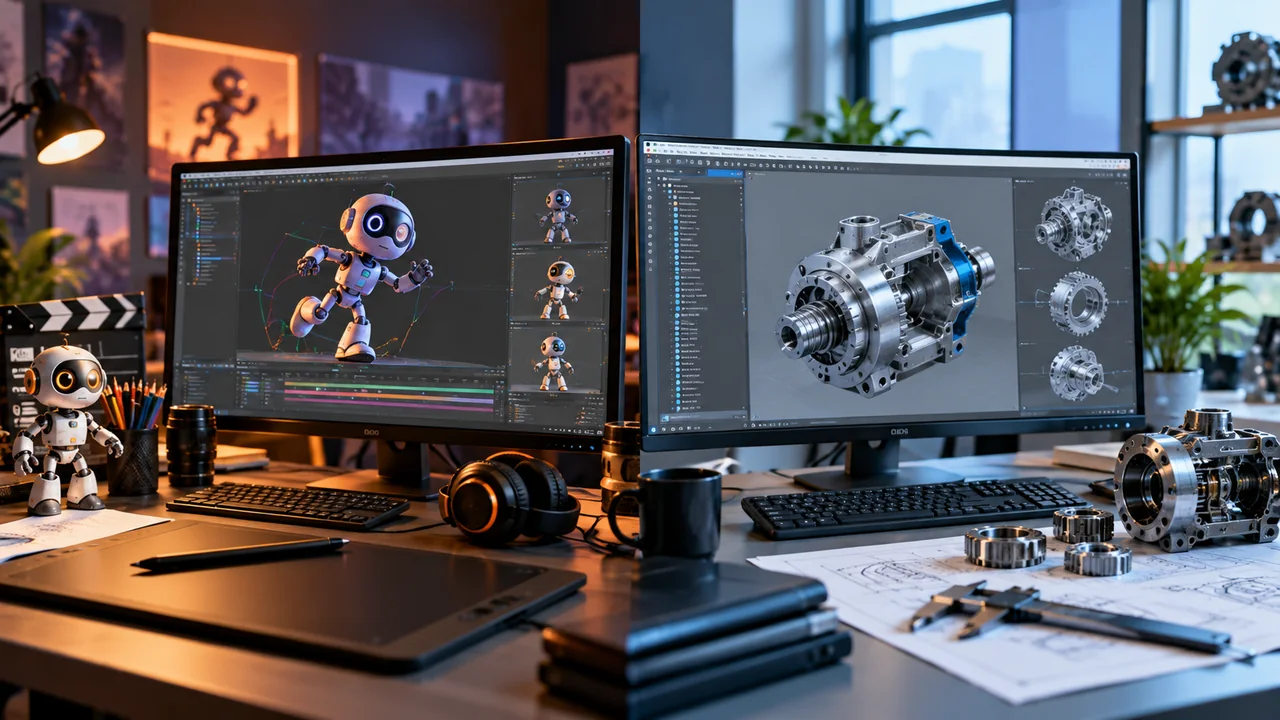
Cheap animation software and CAD software serve different purposes. Animation software is for motion, storytelling, presentation, rendering, and communication. CAD software is for accurate geometry, drawings, dimensions, assemblies, manufacturing data, and revision-controlled design.
For advanced product teams, the advanced product design capability markers can help explain why engineering CAD is judged by more than visual output.
The drafting CAD and engineering CAD categories are also useful because a visual animation tool should not be confused with parametric engineering CAD.
Cheap Animation Software for Mechanical CAD Releases
CAD release changes can affect animation workflows indirectly. If a newer CAD version exports cleaner geometry, improves drawing views, supports better model simplification, or improves manufacturing documentation, the downstream animation process can benefit.
For buyers reviewing mechanical CAD updates, the mechanical CAD release evaluation can help. The Creo update areas for product teams also shows why product-design updates may matter before animation begins.
Animation is usually the final communication layer. The source CAD quality still affects the final visual result.
Cheap Animation Software for CAD/CAM and Manufacturing
Manufacturing animations can show tool motion, machine setups, assembly instructions, safety procedures, maintenance steps, or production sequences. However, CAM software and animation software are different.
CAM software prepares toolpaths and CNC output. Animation software presents motion visually. A CAM simulation may be used for machine verification, while a marketing animation may be used to explain the process to customers.
For that distinction, the CNC programming workflow boundary is relevant. CAD/CAM simulation should not be replaced with a purely visual animation when machine safety and toolpath accuracy matter.
Cheap Animation Software and Technical Analysis
Animation can make engineering ideas easier to understand, but it does not replace analysis. A moving render may show how a part appears to work, while simulation or technical computing tools evaluate how it behaves under real conditions.
For engineering teams, this matters. A technical animation can communicate a concept, but calculations, simulations, test data, and CAD validation still need proper tools.
The analysis tools and drawing tools help clarify the difference between visualization, CAD documentation, and engineering analysis.
Cheap Animation Software and Licensing
The cheapest software is not always the cheapest workflow. Free tools can be excellent, but teams still need to consider training, hardware, rendering time, plug-ins, asset libraries, commercial-use terms, support, and file compatibility.
Maya Indie is Autodesk’s lower-cost Maya option for eligible independent users, and Autodesk states that Maya Indie includes the same tools as Maya at a lower price, with eligibility requirements. Cascadeur also publishes free and paid plan information with eligibility and feature differences.
For CAD-related budgeting, the CAD license planning basics are useful. Animation costs should be planned alongside CAD costs, not separately, when both tools are part of the same production workflow.
Cheap Animation Software in the Wider Software Market
Cheap animation software belongs to a wider design software market that includes CAD, rendering, 3D modeling, 2D drawing, motion graphics, video editing, CAM, simulation, and 3D printing tools.
A small studio may need only Pencil2D and Krita for 2D work. A product team may need CAD software, Blender, a renderer, and video editing software. A manufacturer may need CAD, CAM, simulation, and technical animation tools.
For buyers mapping the wider market, the software category count context helps explain why software categories should not be mixed together.
Cheap Animation Software for Construction Presentations
Construction presentations often use animation to show site staging, building phases, interior walkthroughs, safety plans, or design alternatives. But the source data still needs to come from drawings, CAD models, BIM models, or design layouts.
For construction-focused workflows, the construction drawing workflow needs help define what must be documented before animation begins.
Cheap animation software can help communicate a construction idea, but it should not replace accurate drawings, revisions, permits, dimensions, and coordination files.
Cheap Animation Software and 3D Printer Bundles
Some users expect a 3D printer package to include everything needed for design, animation, and presentation. In reality, printer software often focuses on slicing, machine setup, or print preparation rather than full CAD design or animation.
The printer bundle design-tool limits are useful for setting expectations. A complete workflow may need CAD software for the model, slicer software for printing, and animation software for presentation.
This is especially true for product developers who want to design, print, and promote the same part.
When Free Animation Software Is Enough?
Free animation software may be enough when the project is simple, educational, early-stage, or presentation-focused. A student can learn animation with Blender, Pencil2D, Krita, OpenToonz, or Synfig without a large budget. A small product team can create basic motion, camera flyarounds, and render sequences with free tools if the CAD geometry is already prepared.
Free software is also practical when the budget is lower than the learning time available. The tradeoff is usually support, workflow polish, asset libraries, plug-in compatibility, or production speed.
Choose free software when the goal is learning, prototyping, basic content creation, or low-risk visual communication.
When Paid Animation Software Makes Sense?
Paid animation software may make sense when the workflow needs professional support, commercial production speed, specialized tools, team collaboration, character pipelines, advanced rendering, plug-ins, or studio-level compatibility.
Maya Indie may be relevant for eligible independent artists who need Maya’s professional toolset at a lower price, while Cascadeur paid plans may matter for export options or advanced character-animation workflows.
Paid software can also be justified when it saves time. A tool that costs money but reduces production hours may be cheaper than a free tool that slows every project.
How ProSoftStore Helps Buyers Choose?
Cheap Animation Software is useful, but animation should fit the full design workflow. If your project starts with a real product, part, building, printed object, or engineered assembly, the CAD stage matters before the animation stage.
ProSoftStore helps buyers compare CAD software for 2D drawing, 3D modeling, product design, architecture, mechanical design, construction documentation, and 3D printing workflows. Once the design source is accurate, animation software can present it more clearly.
If your team needs accurate models before creating product animations, ProSoftStore can help you compare 3d cad design software and choose a CAD license that supports your design and visualization workflow.
FAQs
What is the best Cheap Animation Software for beginners?
The best Cheap Animation Software for beginners depends on whether the user wants 2D or 3D animation. Pencil2D is a simple free option for hand-drawn animation, Krita is useful for drawing and frame animation, and Blender is a strong free 3D option. Pencil2D says it is free, open source, cross-platform, and usable commercially, while Blender is a free and open-source 3D creation suite.
What is the best free 3D animation software?
Blender is one of the strongest free 3D animation options. Blender’s official site describes it as a free and open-source 3D creation suite with modeling, rigging, animation, simulation, rendering, compositing, motion tracking, and video editing tools. It is a good starting point for 3D animation, product visuals, character animation, and rendered design presentations.
What is the best free 2D animation software?
Good free 2D animation options include Pencil2D, Krita, Synfig, OpenToonz, and Tahoma2D. Pencil2D is simple and hand-drawn. Krita is strong for drawing and frame animation. Synfig focuses on vector and bitmap 2D animation. OpenToonz is an open-source production animation tool based on Toonz.
Can Cheap Animation Software replace CAD software?
Cheap Animation Software usually cannot replace CAD software when the project needs accurate dimensions, engineering geometry, drawings, assemblies, manufacturing data, or construction documentation. Animation software can present a design visually, but CAD software creates and controls the design source. For product animation, the best workflow is often CAD first, animation second.
Can Blender be used with CAD models?
Blender can be used for visualizing and animating 3D assets, including models prepared from CAD workflows, depending on export format and cleanup. It is useful for rendering, camera movement, animation, materials, and presentation. However, Blender should not be treated as a replacement for parametric CAD when the model must remain dimension-controlled, manufacturable, or revision-managed.
Is cheap animation software good for product demos?
Yes, cheap animation software can be good for product demos if the source model is clean. A CAD model can be exported, simplified, textured, and animated to show part movement, assembly order, installation steps, or product benefits. The key is to keep the engineering master file in CAD and use the animation file for communication.
Is Maya Indie considered cheap animation software?
Maya Indie can be a lower-cost option for eligible independent users who need Maya’s professional toolset. Autodesk states that Maya Indie includes the same tools as Maya at a lower price, with eligibility requirements. Buyers should check current regional availability and eligibility before relying on it for commercial work.
What should CAD users check before choosing cheap animation software?
CAD users should check file format support, model cleanup needs, polygon count, material transfer, scale accuracy, rendering requirements, plug-ins, hardware, commercial-use terms, and whether the animation tool can handle the intended output. They should also confirm that the CAD software remains the source of truth for geometry, drawings, revisions, and manufacturing data.