
Civil 3D vs AutoCAD
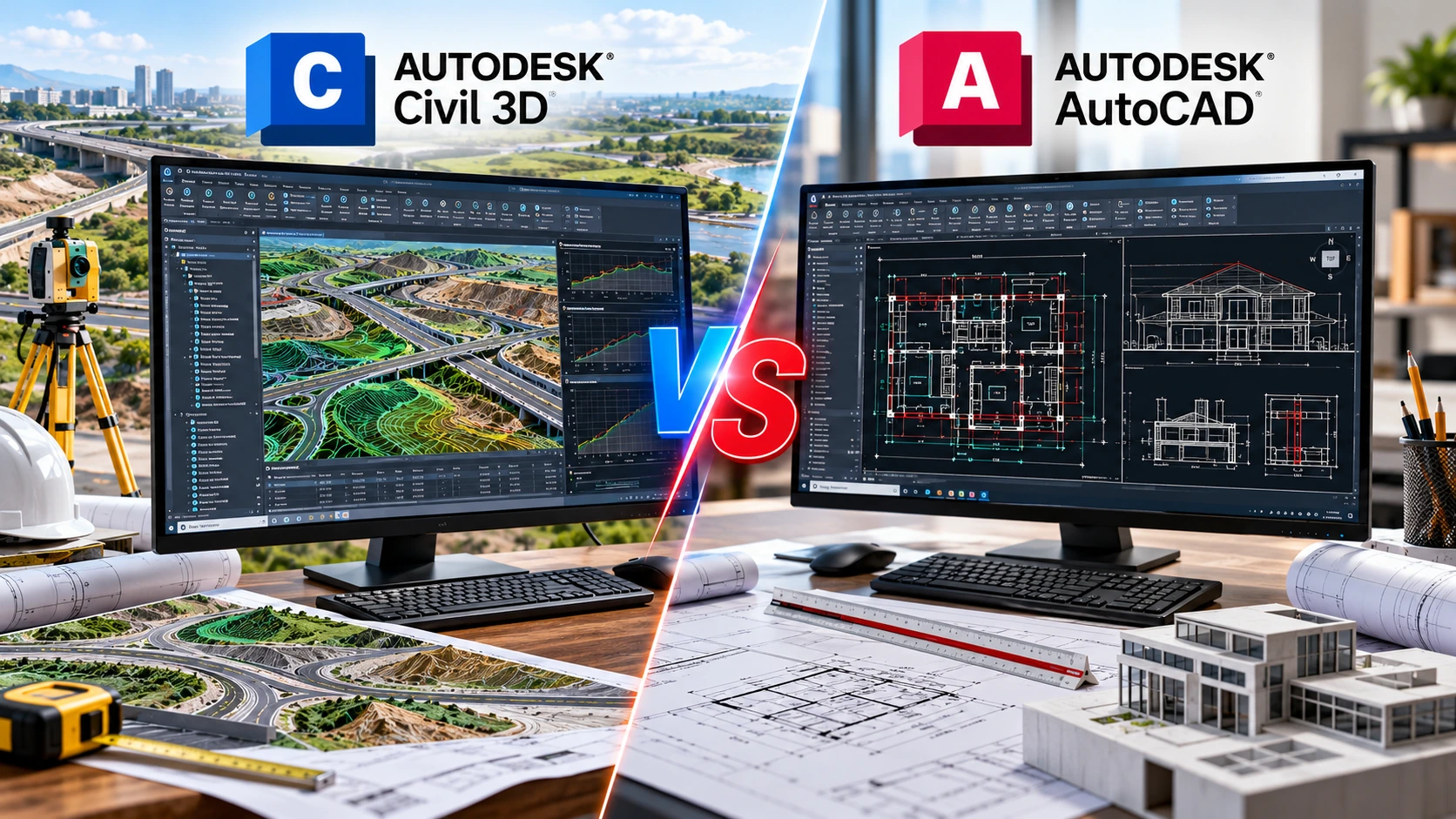
Civil 3D vs AutoCAD is an important comparison for civil engineers, infrastructure designers, survey professionals, and CAD teams choosing between general drafting and civil-specific design software. AutoCAD supports technical drawings and DWG documentation, while Civil 3D adds intelligent terrain, alignment, corridor, grading, and survey workflows for infrastructure projects.
ProSoftStore helps buyers understand these differences before selecting engineering CAD software. This comparison covers the modeling capabilities, documentation processes, file compatibility, technical requirements, and practical project scenarios that determine whether AutoCAD is sufficient or Civil 3D is the more suitable choice.
Quick Check: Explore ProSoftStore’s engineering cad software options to identify the drafting, terrain modeling, survey, and infrastructure design requirements that matter before choosing Civil 3D or AutoCAD.
Desktop purchase scope. Purchase scope: this compares installed desktop Civil 3D and AutoCAD workflows, not cloud subscriptions or vendor-hosted services. Civil 3D model objects and version-specific file exchange require the receiving software and appropriate release compatibility.
Quick CAD Software Comparison: Core Differences Between Civil 3D and AutoCAD
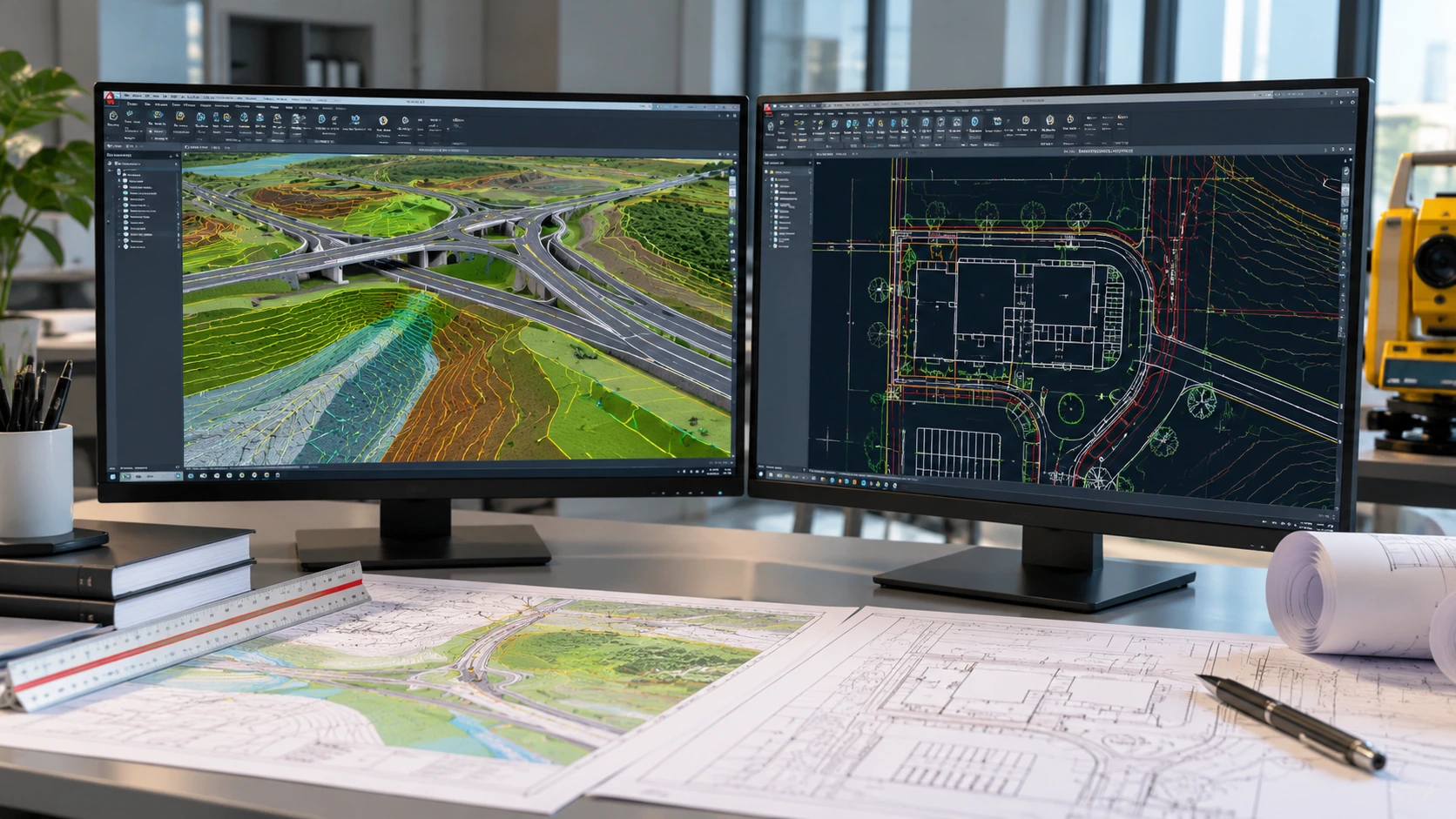
The main difference between Civil 3D and AutoCAD is general CAD drafting versus civil-specific, model-driven infrastructure design.
AutoCAD is a general-purpose CAD platform used for creating technical drawings, annotations, layouts, and 2D or 3D geometry. It can support civil engineering documentation when the project does not require specialized civil design objects.
Civil 3D builds on the AutoCAD drafting environment and adds tools for surfaces, alignments, profiles, corridors, grading, survey data, pipe networks, and infrastructure documentation.
Civil 3D vs AutoCAD: Key Differences
| Comparison factor | Autodesk Civil 3D | AutoCAD |
|---|---|---|
| Primary purpose | Civil engineering and infrastructure design | General CAD drafting and documentation |
| 2D drafting | Includes AutoCAD-based drafting tools | Core drawing and annotation tools |
| Terrain modeling | Intelligent surfaces and terrain analysis | Contours and terrain represented as general geometry |
| Roadway design | Alignments, profiles, and corridors | Centerlines and roadway details created through drafting |
| Grading | Feature lines, grading objects, and proposed surfaces | Manual slope and elevation documentation |
| Survey | Survey points, figures, and field-data workflows | Survey drawing cleanup and documentation |
| DWG compatibility | DWG with Civil 3D-specific objects | General DWG geometry and supported objects |
| Design updates | Related civil objects can update through model relationships | Changes often require manual coordination |
| Documentation | Civil labels, profiles, sections, and plan production | Layouts, dimensions, annotations, and plotting |
| Suitable applications | Roads, land development, utilities, and infrastructure | Drafting, detailing, markups, and DWG coordination |
The practical decision is whether the project requires only accurate drawings or a connected civil engineering model that supports ongoing design changes.
Key Civil Engineering Design Features and Technical Criteria That Influence Software Selection
The choice between Civil 3D and AutoCAD should begin with project deliverables rather than a general software feature list.
A small drawing revision may require only AutoCAD. A roadway, subdivision, grading, or survey-based infrastructure project may require Civil 3D's connected design objects.
General Drafting Versus Model Driven Civil Design
AutoCAD works primarily with general CAD entities such as lines, polylines, blocks, dimensions, and annotations.
Civil 3D adds objects that represent civil engineering information. A surface can store terrain elevations, an alignment can define horizontal road geometry, and a profile can represent vertical design information.
These objects can maintain relationships with other parts of a civil design.
Terrain and Surface Requirements
Surface modeling becomes important when a project involves existing ground, proposed elevations, contours, slope analysis, or earthwork quantities.
Civil 3D provides terrain modeling capabilities designed for these tasks. AutoCAD can display and document contour geometry but does not provide the same native Civil 3D surface-management workflow.
Linear Infrastructure Requirements
Roads, railways, and other linear infrastructure frequently require horizontal alignments, vertical profiles, cross sections, and corridor models.
These requirements are more closely aligned with Civil 3D than standard AutoCAD drafting.
Survey and Site Development Requirements
Survey-based design may require point imports, survey figures, existing-ground models, grading, and proposed surfaces.
Civil 3D provides specialized functions for these workflows, while AutoCAD remains useful for reviewing and documenting survey information.
Documentation and File Exchange Requirements
The receiving team may need editable civil design objects, static DWG documentation, or PDF construction sheets.
These are different deliverables and can influence which product is necessary.
For teams reviewing broader CAD categories, the CAD workflow category distinctions article helps distinguish general drafting, modeling, and specialized engineering workflows.
Autodesk Civil 3D Features, Terrain Modeling, and Suitable Civil Engineering Applications
Autodesk Civil 3D is designed for civil infrastructure projects where terrain, survey information, horizontal and vertical geometry, and construction documentation must remain connected.
It is especially relevant for transportation engineering, site development, land planning, and infrastructure design.
Terrain Surface Modeling and Analysis
Civil 3D allows designers to create surfaces using information such as points, contours, boundaries, and breaklines.
These surfaces can represent existing ground or proposed construction conditions.
Depending on the project, engineers can use them to evaluate:
Existing terrain elevations.
Contours and slopes.
Proposed ground surfaces.
Earthwork cut and fill.
Surface profiles.
Drainage-related terrain conditions.
Changes to a surface can affect dependent design objects and documentation, provided the relevant relationships and rebuild settings are maintained.
Horizontal Alignments and Vertical Profiles
Civil 3D supports alignment objects that define horizontal geometry for roads and similar infrastructure.
Profiles represent elevation changes along an alignment and can be used to develop existing-ground and proposed-grade information.
This allows designers to coordinate horizontal and vertical geometry rather than maintaining unrelated drafting elements.
Corridor Modeling for Transportation Projects
Civil 3D corridors combine design information such as alignments, profiles, assemblies, subassemblies, and surfaces.
These models can represent roadways, highways, rail alignments, and other linear infrastructure.
A corridor can support sections, surface extraction, and quantity calculations.
Because corridors depend on connected design objects, updates may affect related geometry and outputs. Rebuilding and checking the model remains necessary after significant design changes.
Site Grading and Earthwork Calculations
Civil 3D includes grading objects, feature lines, grading criteria, and proposed surface workflows.
Designers can establish slopes, target elevations, and grading relationships to prepare site development models.
Volume tools can compare existing and proposed ground surfaces to calculate cut and fill quantities.
Survey and Infrastructure Design
Civil 3D supports survey workflows involving points, figures, and field data.
These tools can help transform collected survey information into design-ready geometry and terrain models.
Civil infrastructure functions also include gravity and pressure pipe-network workflows, subject to the selected release and required components.
When Is Civil 3D the More Suitable Choice?
Civil 3D deserves consideration when a project requires:
Existing-ground and proposed-ground surfaces.
Roadway alignments and profiles.
Corridor modeling.
Site grading.
Survey-based design.
Pipe-network modeling.
Earthwork calculations.
Civil design documentation linked to model objects.
For product-specific details, review ProSoftStore’s Civil 3D infrastructure design details before selecting the version needed for your project.
AutoCAD Features, 2D Drafting Capabilities, and Suitable Engineering Applications
AutoCAD is a general-purpose drafting and design platform that can support many civil engineering documentation tasks.
Although it does not provide the same specialized infrastructure design environment as Civil 3D, it remains useful when the work involves standard drawings rather than intelligent civil modeling.
2D Drafting and Technical Drawings
AutoCAD provides tools for:
Lines and polylines.
Blocks and reusable drawing elements.
Dimensions and annotations.
Drawing layers.
Layouts and viewports.
Construction details.
DWG editing.
PDF and plotting workflows.
These functions can support civil drawing production, coordination, markups, and technical documentation.
General Site Plans and Civil Details
AutoCAD may be suitable when the project requires a simple site plan, static survey linework, or engineering details without model-driven relationships.
For example, an engineer may use AutoCAD to revise an existing DWG, prepare a construction detail, or organize drawings supplied by another design team.
Drawing Coordination and DWG Management
AutoCAD can be used to review drawing geometry, apply revisions, manage layers, and prepare documentation.
Civil engineering firms may use it alongside specialized design applications where model creation happens elsewhere.
When Is AutoCAD Sufficient for Civil Engineering?
AutoCAD may be sufficient when:
The project is primarily drafting-based.
Civil modeling is completed in another application.
Only static details and drawing revisions are needed.
DWG documentation is the main deliverable.
Terrain and roadway models do not need to be created.
The recipient requires conventional CAD geometry.
For version-specific purchasing information, review ProSoftStore’s cad design software listing and confirm compatibility with the required drafting workflow.
Civil Design Workflows, DWG File Compatibility, and Documentation Differences

Both Civil 3D and AutoCAD work with DWG files, but their workflows differ significantly when the drawing contains civil engineering objects.
The distinction becomes especially important when files move between designers, consultants, contractors, and project reviewers.
General CAD Workflow Versus Civil Design Workflow
| Workflow requirement | Civil 3D approach | AutoCAD approach |
|---|---|---|
| Site linework | Creates and uses civil objects linked to design data | Draws and annotates geometry |
| Existing terrain | Creates surface models | Displays contours or reference geometry |
| Road centerline | Uses alignment objects | Uses lines and polylines |
| Vertical road design | Uses surface and design profiles | Drafts profile information as geometry |
| Road corridor | Builds corridor models from civil design data | Produces general road geometry or static drawings |
| Site grading | Uses grading objects and feature lines | Documents slopes and grading details |
| Sections | Can derive sections from design models | Produces manually coordinated sections |
| Quantity reporting | Can use surface and corridor data | Usually requires separate calculations |
| Design changes | Connected objects can update | Dependent drawings may need manual revision |
Civil 3D is more relevant when the underlying design must remain editable and connected. AutoCAD may be adequate when the project requires a stable drawing output.
DWG File Compatibility Between Civil 3D and AutoCAD
A Civil 3D drawing may contain specialized objects such as surfaces, alignments, profiles, and corridors.
These objects are not equivalent to ordinary AutoCAD lines or polylines.
When opened in plain AutoCAD, Civil 3D objects may appear as proxy objects.
Display behavior can depend on how the drawing was saved and the recipient's software configuration.
What Happens to Civil 3D Objects in Plain AutoCAD?
Autodesk provides a Civil 3D Object Enabler for supported AutoCAD-based environments.
The Object Enabler allows users to display Civil 3D objects and inspect certain properties without providing the full Civil 3D design-editing environment.
This distinction matters because viewing an alignment or corridor is not the same as modifying its underlying civil design parameters.
For teams comparing different modeling and drafting environments, the concept model and drafting-output split offers related background on how design models differ from general drafting outputs.
Exporting Civil 3D Drawings to AutoCAD
Civil 3D provides export workflows that convert specialized design objects into standard AutoCAD geometry.
This can help when sharing drawings with recipients who only need conventional DWG documentation.
However, exporting civil objects as ordinary AutoCAD geometry can remove their model-driven intelligence.
The resulting drawing may be suitable for review or drafting but not for continued editing as a Civil 3D design model.
Civil Engineering Documentation Differences
AutoCAD is suitable for general technical drawing production, including dimensions, annotations, details, title blocks, and layouts.
Civil 3D adds documentation tools for plan/profile sheets, cross sections, civil labels, and reports linked to infrastructure design information.
| Documentation requirement | Civil 3D | AutoCAD |
|---|---|---|
| General drawing sheets | Supported | Supported |
| Title blocks and annotations | Supported | Supported |
| Terrain-based labels | Civil object-based workflows | General drafting |
| Alignment stationing | Model-driven alignment labels | Manually prepared annotations |
| Profile views | Based on civil profile information | General drawing geometry |
| Corridor sections | Generated from civil design data | Manually drafted or imported |
| Quantity reports | Surface and corridor-based calculations | Separate calculations or custom methods |
| General construction details | Supported | Supported |
For technical drawing organization, the sheet layout and title-block workflow provides relevant information about preparing consistent documentation.
Documentation Requirements Across Different Design Disciplines
Civil infrastructure documentation should be distinguished from residential building drawings or mechanical product documentation.
The relevant choice is whether the project needs civil-specific model objects and infrastructure deliverables or whether general DWG drafting is sufficient.
CAD Software Limitations, Civil 3D Object Compatibility, and Technical Requirements
Civil 3D and AutoCAD can both support civil engineering organizations, but each has limitations that should be evaluated before purchase.
AutoCAD Limitations for Civil Infrastructure Design
AutoCAD does not provide the full native Civil 3D workflow for surfaces, alignments, profiles, corridors, grading, or survey design objects.
A user can draft corresponding geometry, but those drawings do not automatically become connected Civil 3D models.
For projects requiring intelligent terrain or corridor design, that distinction can be decisive.
Civil 3D Object and Version Compatibility
Civil 3D's AECC object compatibility requires special attention.
A drawing created in a newer Civil 3D release may display its objects as proxies when opened in an earlier release.
The recipient may be able to view the geometry without being able to edit the Civil 3D design objects.
Exporting through LandXML or another supported workflow may be necessary when exchanging certain types of civil design information across versions.
Teams should test real project data before relying on an older release.
Operating System and Workstation Requirements
Autodesk provides separate system requirements for AutoCAD and Civil 3D.
For the software release being evaluated, check:
| Technical requirement | What to verify |
|---|---|
| Operating system | Exact supported Windows release and Autodesk support lifecycle |
| Processor | Appropriate CPU for the expected design workload |
| RAM | Sufficient memory for terrain surfaces and large infrastructure datasets |
| Graphics | Supported GPU and driver configuration |
| Storage | Space for software, DWG files, surfaces, and related project data |
| Civil 3D objects | Compatibility with the recipient's software release |
| Additional tools | Requirements for any separate extensions or cloud services |
Civil 3D and AutoCAD have different hardware demands; terrain models and corridors can increase memory and graphics requirements. Verify the requirements of the actual release on its product page.
These specifications are guidance, not a performance guarantee.
Package and Extension Limitations
Some civil workflows rely on separately delivered tools, cloud services, or additional Autodesk products.
For example, specialized optimization, advanced drainage analysis, project data management, and connected infrastructure workflows may have service or entitlement requirements.
Do not assume these capabilities are automatically included in a particular ProSoftStore product listing.
Technical Disqualifiers
| Disqualifier | Practical consequence |
|---|---|
| The job only requires basic drafting | Civil 3D may introduce unnecessary workflow complexity |
| Intelligent terrain modeling is essential | AutoCAD alone may not satisfy the design requirement |
| The recipient needs editable Civil 3D objects | Plain AutoCAD export may be insufficient |
| The selected version cannot edit project objects | A compatibility strategy is required |
| Workstation requirements are not met | Installation or performance problems may occur |
| Specialized functionality requires another product | The selected listing may not cover the complete workflow |
Compatibility, Included Tools, and Purchase-Scope Checks
Version selection matters because Civil 3D object compatibility, feature availability, and system requirements can change between releases.
ProSoftStore provides listings for specific software versions, so buyers should verify the exact product they intend to purchase.
Civil 3D Feature and Version Considerations
Civil 3D supports civil workflows such as surfaces, alignments, profiles, corridors, grading, survey data, pipe networks and project documentation, subject to the capabilities of the selected product.
However, a documented product capability does not necessarily establish that every related Autodesk extension or cloud service is part of the selected offer.
AutoCAD Feature and Version Considerations
AutoCAD is suited to general drafting, annotations, drawing organization, layouts and DWG documentation; Civil 3D provides additional model-driven infrastructure workflows.
It should not be assumed to include Civil 3D's standalone infrastructure modeling capabilities.
The required operating system, file compatibility, and exact product components should be verified.
Licensing and Activation Requirements
ProSoftStore lists software versions for one-time payment.
ProSoftStore supplies locally activated desktop software for a one-time payment and does not impose a fixed reinstall or store device-count limit. Patches and service packs for the purchased yearly version may be available under the store terms; later annual versions and separate products require separate orders. Manufacturer cloud services and accounts are not included unless the offer expressly states otherwise.
Buyers should check the supplied product terms and confirm whether any separate Autodesk services are required for their intended workflow.
CAD Software Cost Planning
Software selection should consider more than the listed purchase amount.
Training, workstation suitability, project compatibility, required extensions, and documentation processes may affect the complete workflow cost.
The CAD license and setup planning factors article provides further context for evaluating software requirements beyond the initial product listing.
Civil Engineering Project Use Cases and Scenario Based CAD Software Recommendations
Civil 3D vs AutoCAD for civil engineering should be decided by the project scope, required deliverables, and the level of design intelligence needed.
There is no universal winner.
Scenario Based Civil 3D vs AutoCAD Recommendations
| Civil engineering scenario | Suggested software direction |
|---|---|
| General DWG drafting and documentation | Start with AutoCAD |
| Existing-ground surface modeling | Evaluate Civil 3D |
| Road alignments and vertical profiles | Evaluate Civil 3D |
| Highway or roadway corridor design | Evaluate Civil 3D |
| Site grading and earthwork quantities | Evaluate Civil 3D |
| Survey-based infrastructure modeling | Evaluate Civil 3D |
| Drawing cleanup and construction markups | AutoCAD may be sufficient |
| Plan/profile and section production | Evaluate Civil 3D |
| Standard technical drawing details | AutoCAD may be sufficient |
| Editable Civil 3D deliverables | Civil 3D and version compatibility are important |
| Mixed consultant DWG exchange | Verify the required file and object format |
When Is Civil 3D the More Suitable Choice?
Civil 3D should be evaluated when the project needs intelligent terrain modeling, alignments, profiles, corridors, grading, survey information, or construction documentation connected to design data.
For these projects, general drafting tools may not provide the necessary model relationships.
When Is AutoCAD the More Suitable Choice?
AutoCAD may be sufficient when the work is limited to drafting, documentation, drawing revisions, site details, and DWG coordination.
It can also support civil teams where specialized design calculations and models are produced elsewhere.
What If the Project Requires Separate Engineering Calculations?
Some infrastructure projects require analysis or numerical calculations outside their primary CAD environment.
Civil 3D can manage civil design geometry and related quantities, but it should not be treated as a substitute for every specialized engineering analysis application.
How Should a Civil Engineering Team Make the Final Choice?
The team should prepare a representative project containing terrain information, a drawing set, and the relevant design objects.
Then compare the outputs:
Can the required geometry be created?
Can design changes update related objects?
Are the drawings acceptable?
Can consultants open the files?
Is the selected software version compatible?
Are additional tools required?
These results provide a more reliable buying decision than a general ranking.
Civil Engineering CAD Software Evaluation and Prepurchase Verification Checklist
Before purchasing Civil 3D or AutoCAD, verify the complete project workflow.
A realistic evaluation should consider modeling requirements, DWG compatibility, documentation, software version, and downstream file exchange.
Civil Engineering CAD Evaluation Checklist
| Verification question | What to confirm |
|---|---|
| Is the project drafting-based or model-driven? | General AutoCAD geometry versus Civil 3D design objects |
| Does the project require existing-ground modeling? | Surface creation and terrain data |
| Are alignments and profiles necessary? | Horizontal and vertical design requirements |
| Will corridor models be created? | Road or linear infrastructure workflows |
| Does the project involve grading? | Feature lines, proposed surfaces, cut/fill calculations |
| Is survey data imported? | Points, figures, field data, and coordinate requirements |
| Are pipe networks required? | Utility modeling and documentation needs |
| What drawings must be produced? | Plans, profiles, sections, labels, and reports |
| Who receives the DWG files? | AutoCAD users, Civil 3D users, consultants, or agencies |
| Must Civil 3D objects remain editable? | Object Enabler versus native Civil 3D access |
| What software version is required? | Exact listed release and project compatibility |
| Are separate tools needed? | Extensions, specialized analysis, and cloud services |
| What workstation is available? | Supported system requirements |
| Are the purchasing terms clear? | Installation, activation, and update entitlements |
Practical Civil CAD Evaluation Steps
Create or import survey data. Confirm how field information enters the project.
Build an existing-ground representation. Determine whether a Civil 3D surface model is required.
Prepare the horizontal and vertical design. Test alignments and profiles where relevant.
Evaluate grading or corridor requirements. Check whether connected civil objects are necessary.
Generate technical documentation. Review drawings, labels, profiles, sections, and reports.
Test DWG interoperability. Open the drawing in the actual recipient environment.
Verify the product listing. Confirm version, operating system, features, and purchasing terms.
For more software comparison topics, the CAD article library provides additional technical context.
If the team is still distinguishing conceptual 3D models from engineering design deliverables, the 3D software output classification article offers related background.
Explore Civil 3D and AutoCAD Software Options at ProSoftStore
ProSoftStore provides software listings for civil engineering teams, survey professionals, and technical designers evaluating CAD tools for infrastructure workflows.
Civil 3D is worth reviewing when the project requires terrain surfaces, alignment and profile design, corridor modeling, grading, survey workflows, and model-driven civil documentation.
AutoCAD may be more suitable when the main requirements involve general technical drawings, standard DWG editing, documentation, and design coordination without specialized civil objects.
Before choosing either product, verify the exact listed release, system requirements, DWG compatibility, required features, and purchasing terms. The right software is the one that supports the complete civil design or documentation process without unnecessary compatibility problems.
Frequently Asked Questions
What Is the Main Difference Between Civil 3D and AutoCAD?
The main difference is their design scope. AutoCAD is a general CAD drafting platform, while Civil 3D adds model-driven civil engineering tools for surfaces, alignments, profiles, corridors, grading, survey data, and infrastructure documentation.
Is Civil 3D Different From AutoCAD?
Yes. Civil 3D uses an AutoCAD-based environment but adds specialized civil engineering objects and workflows that are not part of standard AutoCAD.
Should I Choose Civil 3D or AutoCAD for Civil Engineering?
Choose according to the project. AutoCAD can be sufficient for general drafting, drawing revisions, and technical documentation. Civil 3D is more relevant when the project requires intelligent terrain modeling, roadway geometry, grading, survey integration, or connected civil documentation.
Can AutoCAD Open Civil 3D Drawings?
AutoCAD can open compatible DWG drawings created in Civil 3D, but specialized civil objects may appear as proxies.
An appropriate Object Enabler can improve visibility and property inspection, but it does not provide full Civil 3D design-editing functionality.
Can AutoCAD Edit Civil 3D Surfaces and Corridors?
Standard AutoCAD cannot directly edit Civil 3D surfaces and corridors as native civil design objects.
Exporting them as standard CAD geometry may allow ordinary drafting edits, but their original civil design intelligence is not preserved.
Is Civil 3D Required for Road Design?
Civil 3D is not required for every road-related drawing. However, it is an appropriate platform to evaluate when the design involves alignments, vertical profiles, corridor modeling, cross sections, or road-related quantities.
Which Software Is Better for Terrain Modeling?
Civil 3D is designed for creating and managing terrain surfaces from civil engineering data. AutoCAD can display or document terrain geometry, but it lacks the same native Civil 3D surface workflow.
Can Civil 3D Create Grading and Earthwork Reports?
Yes. Civil 3D supports grading and volume-calculation workflows that can be used to evaluate cut and fill quantities.
The required model setup and quantity-reporting process should be tested for the actual project.
Which Is Better for Survey Work?
Civil 3D should be evaluated when survey points, field data, surfaces, and design models need to remain connected.
AutoCAD may be sufficient for survey drawing cleanup, annotations, and documentation when the survey processing occurs elsewhere.
Should I Buy Civil 3D or AutoCAD From ProSoftStore?
Start with the project deliverables. Review Civil 3D when civil-specific modeling and documentation are required. Review AutoCAD when general drafting and DWG production are sufficient.
Check the exact product version, workstation compatibility, file requirements, and purchase terms before ordering.