
Archicad vs Revit
Archicad vs Revit is an important comparison for architects, BIM managers, and design practices choosing a professional building information modeling platform. Both applications support architectural modeling, construction documentation, project coordination, and data exchange, but their workflows differ in how teams organize building information and collaborate.
Archicad is often considered for architect-led BIM design, Open BIM exchange, and BIMcloud teamwork. Revit is relevant when projects depend on Autodesk-centered BIM workflows, Revit families, RVT deliverables, and multidisciplinary coordination. ProSoftStore helps buyers compare these requirements, software versions, and collaboration dependencies before selecting an architectural BIM platform.
Quick Check: Explore ProSoftStore’s architectural CAD software options to identify your BIM modeling, construction documentation, consultant coordination, and project-delivery requirements before choosing Archicad or Revit.
Desktop purchase scope. Purchase scope: this comparison mentions BIMcloud Teamwork and Autodesk cloud worksharing only to explain external collaboration requirements. Such services, vendor accounts and subscriptions are not included or activated by the ProSoftStore locally activated desktop software purchase; evaluate local authoring and separately obtained services independently.
Archicad vs Revit: Understanding Their Different BIM Design Approaches
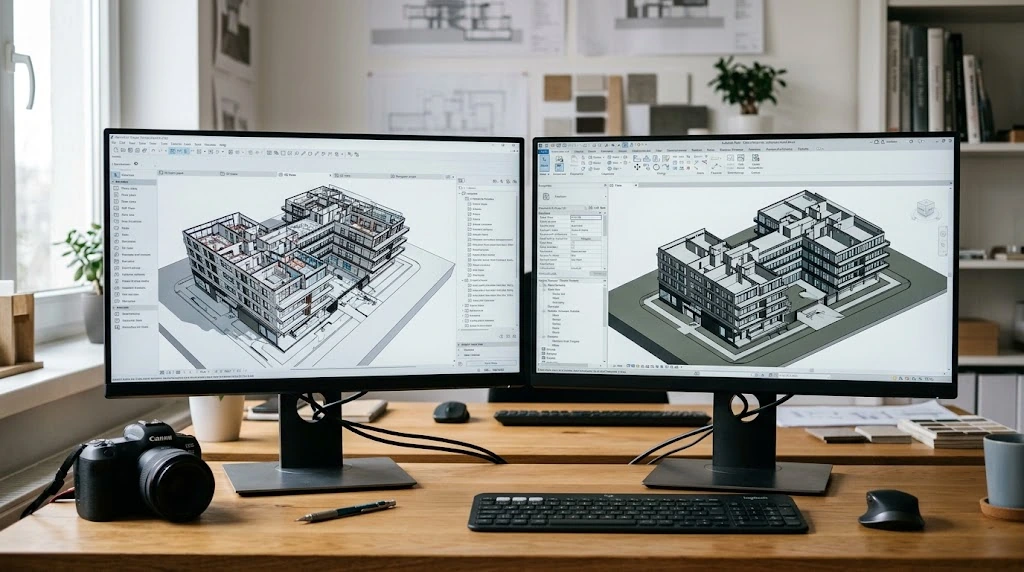
The main difference between Archicad and Revit is their approach to BIM authoring, office standards, and surrounding project workflows.
Archicad provides an architecture-focused modeling environment with building elements, integrated documentation, IFC interoperability, and BIMcloud-based Teamwork.
Revit provides a parametric BIM environment organized around building categories, families, model relationships, schedules, views, and Autodesk-connected coordination workflows.
Both can support professional building information modeling. The right choice depends on project deliverables, consultant requirements, existing office standards, and the collaboration environment.
Archicad vs Revit: Key Differences
| Comparison factor | Archicad | Revit |
|---|---|---|
| Primary workflow | Architect-led BIM modeling and documentation | Parametric BIM authoring and multidisciplinary documentation |
| Building elements | Walls, slabs, roofs, openings, objects, and zones | Category-based elements, systems, and families |
| Model organization | Attributes, classifications, favorites, and libraries | Categories, parameters, families, and view templates |
| Construction documents | Views, layouts, schedules, and publication workflows | Views, sheets, schedules, annotations, and revisions |
| IFC interoperability | Translator-based Open BIM exchange | IFC import, linking, and export workflows |
| Structural coordination | Structural model exchange and supported analytical workflows | Structural modeling and linked discipline models |
| MEP coordination | IFC exchange and applicable MEP tools | Revit MEP workflows and model linking |
| Collaboration | Teamwork through BIMcloud | Worksharing and applicable Autodesk cloud services |
| Visualization | Model views, visualization tools, and BIMx workflows | Model views, rendering options, and connected visualization tools |
| Native project files | PLN and related Archicad project formats | RVT and RFA project or family formats |
| Ecosystem fit | Graphisoft and Open BIM workflows | Autodesk and Revit-based project workflows |
Archicad should not be described as universally better for architectural design, and Revit should not be described as mandatory for every BIM project.
The practical decision is which authoring environment supports the project's complete modeling, documentation, coordination, and delivery process.
Architectural Modeling, Construction Documentation, and Project Coordination Compared
An Archicad vs Revit comparison should start with the requirements of the building project rather than a broad software feature list.
A small architectural studio and a multidisciplinary building-design team may both need BIM, but their model standards, consultant exchanges, documentation responsibilities, and collaboration arrangements can be different.
Architectural BIM Modeling Requirements
Both applications allow architects to create building models using information-rich components.
Archicad organizes architectural modeling around tools for walls, slabs, roofs, doors, windows, zones, and other building elements.
Revit uses building categories, families, types, and parameters to manage its model elements.
The important evaluation is how well each approach supports the practice's modeling standards and required building information.
Construction Documentation Requirements
Construction documentation may include plans, elevations, sections, details, schedules, sheets, annotations, and revisions.
Both Archicad and Revit support model-based documentation.
The appropriate choice depends on the required drawing conventions, office templates, approval process, and how the model and drawings must remain coordinated.
Multidisciplinary Coordination Requirements
Architectural projects frequently involve structural engineers, building-services designers, consultants, and contractors.
These participants may exchange IFC models, native RVT files, DWG drawings, PDFs, or other coordinated information.
If a client requires a specific native deliverable, that requirement can carry more weight than individual modeling preferences.
Collaboration and Model Management Requirements
Team collaboration requires control over model access, editing responsibilities, permissions, libraries, and revisions.
Archicad Teamwork and Revit worksharing approach these tasks differently.
Cloud-based collaboration may introduce separate service requirements for either platform.
BIM Software Selection Criteria
| Selection criterion | Why it influences the decision |
|---|---|
| Native deliverable format | Clients may require RVT, PLN, IFC, or another format |
| Model authoring method | Team standards determine how building elements are created |
| Documentation workflow | Sheets, schedules, details, and revisions must follow office requirements |
| Structural coordination | Analytical models and structural information may need exchange |
| MEP coordination | Building-services data must align with architectural models |
| IFC requirements | Model classification and property mapping affect interoperability |
| Collaboration method | BIMcloud and Revit worksharing require different setups |
| Visualization | Model presentation must fit review and approval workflows |
| Existing content libraries | Templates, objects, and families can influence switching effort |
| Version compatibility | Native project files and services may be release-sensitive |
For teams still distinguishing BIM authoring from general design software, the CAD and BIM workflow type distinctions article explains how drafting, 3D modeling, engineering CAD, and BIM serve different purposes.
Archicad for Architect-Led BIM Modeling and Building Design Workflows
Archicad is designed for architectural BIM modeling, coordinated documentation, and building-project information management.
It is particularly relevant to practices that organize their design process around architectural elements, model-based drawings, and IFC-centered consultant exchange.
Architectural Building Modeling
Archicad includes dedicated tools for creating and managing building elements.
Architects can model walls, slabs, roofs, doors, windows, stairs, railings, zones, and other architectural components.
These elements can contain properties and classifications used in schedules and project documentation.
This supports workflows where architectural modeling and documentation develop together.
Design Development and Building Model Relationships
Archicad provides building-oriented modeling operations that allow architects to revise geometry, component properties, and documentation as the design develops.
However, a model change should not be assumed to update every drawing or schedule correctly without checking the relevant model relationships and publication settings.
Office standards remain important.
Archicad Construction Documentation
Archicad supports plans, sections, elevations, worksheets, details, interactive schedules, layouts, and publication processes.
A practice can organize its documentation using attributes, drawing settings, layouts, and project templates.
This makes documentation configuration an important part of evaluating Archicad for a real office.
Open BIM and IFC Exchange
Archicad supports IFC-based interoperability using configurable translators.
These translators control which model elements and properties are exchanged and how the receiving application interprets them.
For practices working with consultants using different software, IFC workflows may be central to project delivery.
A supported IFC workflow does not automatically guarantee complete preservation of every native model relationship.
Archicad Teamwork and BIMcloud
Archicad's Teamwork functionality is designed for collaborative BIM projects through BIMcloud.
The collaboration environment manages shared project access, permissions, and coordination between team members.
The required BIMcloud deployment, service entitlement, and user permissions must be checked separately from the basic Archicad software listing.
When Is Archicad a Suitable Choice?
Archicad deserves consideration when:
The practice focuses on architect-led BIM authoring.
Building modeling and documentation are closely connected.
IFC interoperability is a major project requirement.
Existing Archicad templates and libraries are established.
BIMcloud Teamwork is the intended collaboration method.
Model-based architectural documentation is central.
The project accepts Archicad or agreed Open BIM deliverables.
For product-specific information, review ProSoftStore’s Archicad product-version details before selecting the appropriate release.
Revit for Building Information Modeling and Multidisciplinary Project Coordination

Autodesk Revit is a BIM authoring platform for architectural design, engineering coordination, and model-based building documentation.
It is particularly relevant when clients or consultants require Revit-native project files, Revit family standards, or workflows connected to the Autodesk BIM environment.
Parametric Building Modeling
Revit uses model elements organized through categories, families, types, and parameters.
Building components can carry geometric and nongeometric information for coordinated design and documentation.
Model relationships can help maintain consistency when project changes occur, although accurate results still depend on correct family setup, constraints, and review.
Revit Families and BIM Parameters
Revit families are used to define reusable building components.
They can include geometric variations, dimensions, materials, parameters, and other information.
Office family standards can strongly influence the quality of Revit documentation and model coordination.
A practice that already maintains a substantial Revit library may prefer to preserve that investment.
Construction Documentation and Schedules
Revit supports model-based floor plans, sections, elevations, sheets, schedules, annotations, tags, and revision workflows.
These outputs are connected to the Revit model.
For projects requiring structured drawing production and scheduled building information, these capabilities can influence the platform choice.
Structural and MEP Design Workflows
Revit provides tools for architectural, structural, and mechanical, electrical, and plumbing modeling.
It can also link models from other project participants.
However, the exact modeling, analysis, clash-review, and coordination requirements should be verified individually.
Revit authoring functionality does not mean every Autodesk coordination or analysis application is automatically included.
Worksharing and Model Coordination
Revit supports worksharing through central models and worksets.
Team members can work on a shared project while coordinating changes through the central model.
Cloud-based worksharing is a separate configuration that may require additional Autodesk services or subscriptions.
When Is Revit a Suitable Choice?
Revit should be evaluated when:
Native RVT deliverables are required.
Existing project files use Revit.
Revit family and parameter standards are established.
Architectural, structural, and MEP coordination is central.
Model-based schedules and documentation are required.
Team members use Revit worksharing.
The project follows Autodesk-centered BIM procedures.
ProSoftStore’s Revit BIM authoring details provide product-specific information for evaluating release compatibility and the exact purchase terms.
IFC Data Exchange, Structural and MEP Coordination, and Team Collaboration Workflows
Interoperability and collaboration are often decisive when choosing between Archicad and Revit.
Both applications can create BIM models, but project success also depends on exchanging information with consultants, coordinating design responsibilities, and publishing usable deliverables.
IFC Data Exchange Between BIM Applications
Industry Foundation Classes, or IFC, provide a standardized format for exchanging building information.
Archicad includes configurable IFC translators.
Revit also supports IFC import, linking, and export workflows.
The important question is not whether the application recognizes an IFC file, but whether it exchanges the information required by the BIM execution plan.
| IFC requirement | Archicad evaluation | Revit evaluation |
|---|---|---|
| Model export | Confirm IFC translator configuration | Confirm IFC export setup |
| Model import | Check element conversion and interpretation | Check IFC import or linking behavior |
| Element classification | Verify classification mapping | Verify category and property mapping |
| Property exchange | Confirm relevant property sets | Confirm expected parameters and properties |
| Model positioning | Check coordinates and reference points | Check shared coordinates and positioning |
| Structural exchange | Verify consultant analytical and physical model requirements | Verify structural exchange workflow |
| MEP exchange | Check services model translation | Check MEP model exchange |
| Round-trip editing | Do not assume native behavior is preserved | Do not assume native behavior is preserved |
For teams comparing model formats by their intended deliverables, the model-output categories for design teams article provides background on architectural visuals, BIM files, and engineering models.
Structural Engineering Coordination
Structural coordination can involve physical building models, analytical information, grids, levels, openings, and shared reference geometry.
Archicad supports structural analytical model workflows and relevant exchange formats.
Revit provides structural modeling and analytical workflows within the Autodesk environment.
Neither platform should be assumed to complete every structural analysis task without additional tools.
Before selecting the software, architects should verify how structural models will be exchanged, reviewed, and updated.
MEP Coordination and Building Services
MEP coordination may involve mechanical equipment, ducts, pipes, electrical systems, penetrations, and spatial conflicts.
Revit provides MEP authoring functionality.
Archicad supports MEP-related modeling and coordination, although specific professional tools, permissions, or related products may have separate requirements.
A practice should confirm whether its responsibility is MEP authoring, model exchange, or coordination with an external MEP consultant.
These are different workflow requirements.
IFC, RVT, PLN, and DWG Compatibility
A supported file format does not guarantee that every model element remains fully editable after transfer.
For example, exchanging IFC models can preserve important building information while converting native objects into a different representation.
Similarly, an RVT file created from exported Archicad geometry should not automatically be treated as a fully editable native Revit project.
| Exchange format | Important consideration |
|---|---|
| PLN | Native Archicad project editing |
| RVT | Native Revit project editing and delivery |
| IFC | Open BIM information exchange |
| DWG | Drawing geometry and documentation exchange |
| Issued drawings and review documents | |
| BCF | Issue communication through compatible workflows |
| Model visualization exports | Presentation and review requirements |
The correct exchange test should use a representative project, including the required classifications, properties, coordinates, and consultant model content.
BIM Collaboration With Archicad Teamwork
Archicad Teamwork uses BIMcloud to manage collaborative projects.
A project must be shared to the appropriate BIMcloud environment, and users must have the required access permissions.
Teams should verify:
BIMcloud availability.
Supported Archicad releases.
Project and library access.
Team roles and permissions.
Server or SaaS arrangements.
Remote collaboration requirements.
The presence of Teamwork functionality does not mean every BIMcloud service is automatically included with a software purchase.
BIM Collaboration With Revit Worksharing
Revit worksharing allows multiple users to work on the same project through a central model.
Cloud collaboration is more specific.
Autodesk distinguishes ordinary worksharing and cloud-model workflows from simultaneous cloud worksharing.
The latter requires the appropriate cloud collaboration entitlement.
Teams should therefore check whether their intended setup uses a local network, shared file environment, or Autodesk-hosted cloud model.
For related product paths, the Autodesk BIM ecosystem decision path helps place Revit authoring alongside the broader Autodesk software environment.
Architectural Documentation and Team Handoff
BIM coordination also affects construction documentation.
Architects need to confirm that plans, schedules, drawing revisions, and model changes can be issued consistently to project participants.
The Archicad vs Revit decision should still be based on the actual BIM execution and consultant requirements.
Visualization and BIM Model Communication
Archicad offers model visualization and communication workflows, including BIMx-related presentation paths.
Revit supports model views, rendering workflows, and compatible visualization integrations.
Visualization should be evaluated according to project review requirements.
A model used primarily for client presentations may have different requirements from one used for consultant coordination and construction documentation.
Connected visualization tools and services should be checked separately where applicable.
Downstream Project Documentation
The final BIM environment must support the full design-to-documentation process.
This may include revisions, consultant model updates, issued drawing packages, quantities, and project handoff.
Moving from separate drawings to a coordinated BIM model changes how teams maintain documentation and exchange building data.
BIM Workflow Limitations, Collaboration Dependencies, and Technical Constraints
Archicad and Revit are both professional BIM platforms, but each can be unsuitable when its project workflow conflicts with client standards, technical requirements, or team capabilities.
Native File Requirements
A project requiring editable RVT files may favor Revit.
A practice working primarily with Archicad projects and agreed IFC deliverables may favor Archicad.
Exporting geometry to another native format is not necessarily equivalent to authoring the project in that platform.
Collaboration Service Dependencies
Archicad Teamwork requires an appropriate BIMcloud environment.
Revit supports worksharing, but its cloud collaboration services can require additional entitlement and setup.
The buyer should distinguish the BIM authoring application from the collaboration infrastructure needed by the team.
IFC Exchange Limitations
IFC interoperability depends on translators, export settings, classifications, property mappings, and receiving software behavior.
A project may exchange geometry successfully while losing important parameters or relationships.
Test exchanges before selecting the authoring environment.
Structural and MEP Scope
BIM authoring platforms may support structural and MEP workflows without including every specialist analysis or coordination tool.
Separate analysis products, external consultant applications, or connected services may still be necessary.
Operating System and Workstation Requirements
Archicad desktop editions support appropriate Windows and macOS configurations, subject to the requirements of the selected software release.
Revit is a Windows desktop application. Verify the operating system and hardware requirements for the exact Revit edition on its product page.
| Technical requirement | Archicad | Revit |
|---|---|---|
| Operating system | Verify supported Windows or macOS release | Supported Windows desktop configuration for the chosen Revit release |
| Processor | Match Graphisoft's project-size guidance | Match Autodesk's release-specific guidance |
| Memory | Graphisoft recommends 16 GB to 64 GB or more according to project complexity | Use the hardware requirements of the exact selected release and project size |
| Graphics | Verify supported graphics configuration | Verify DirectX-capable graphics and driver requirements |
| Project files | Check PLN compatibility and library requirements | Check RVT project version |
| Collaboration | Confirm BIMcloud system and account requirements | Confirm worksharing and cloud-service requirements |
Workstation performance also depends on model complexity, linked files, graphics, and project-management practices.
BIM Workflow Disqualifiers
| Potential limitation | Why it matters |
|---|---|
| Client requires editable RVT files | Native Revit authoring may be necessary |
| Consultant delivery is IFC-centered | Translator quality and Open BIM exchange become important |
| BIMcloud is unavailable | Archicad Teamwork may not match the collaboration plan |
| Revit cloud collaboration is assumed | Additional service entitlement may be required |
| Office templates are incompatible | Setup and migration effort may increase |
| Project files use an unsupported version | Opening or editing may require migration |
| MEP or structural functions exceed product scope | Additional software may be needed |
| Workstation does not meet requirements | Installation or performance problems may occur |
Neither product should be selected without checking its fit against the project's actual BIM delivery and collaboration requirements.
Compatibility, Included Tools, and Purchase-Scope Checks

Software versions and collaboration arrangements can materially affect a BIM-platform purchase.
Archicad and Revit projects are version-sensitive, and connected services can have requirements separate from the authoring application.
Archicad Version and Feature Checks
Archicad supports architectural modeling, construction documentation, IFC data exchange and Teamwork workflows; the availability of connected services is a separate consideration.
However, the selected software offer does not automatically establish access to every Graphisoft collaboration or connected service.
Buyers should confirm:
Exact Archicad version and build.
Supported operating system.
Native project compatibility.
Required architectural modeling features.
IFC translator functionality.
BIMcloud requirements.
Relevant MEP or structural tools.
Visualization and model-review workflows.
Revit Version and Feature Checks
Revit supports BIM authoring, schedules, building documentation, local worksharing and multidisciplinary coordination workflows.
However, different collaboration arrangements have different requirements.
Autodesk distinguishes ordinary Revit cloud models from simultaneous Revit Cloud Worksharing.
The selected service entitlement should be confirmed before assuming that several remote users can edit a cloud-hosted project concurrently.
BIM File Version Compatibility
Native files should be checked before changing software releases.
Archicad users should verify project migration, library compatibility, and older-file requirements.
Revit users should verify whether a project can be opened using the intended release and how upgrades will affect other team members.
Revit cloud projects and linked models have particularly specific release requirements.
For example, Autodesk documents that cloud models must be accessed with the corresponding Revit release unless an appropriate model-upgrade workflow is performed.
Collaboration Service Availability
| Collaboration requirement | What to verify |
|---|---|
| Archicad Teamwork | BIMcloud setup and project permissions |
| BIMcloud SaaS | Service availability and user entitlement |
| Revit central-model worksharing | Supported project and network configuration |
| Revit Cloud Worksharing | Required cloud collaboration subscription |
| Linked consultant models | Compatible software and project releases |
| Cloud model access | Accounts, permissions, and project setup |
| Model publishing | Stakeholder review and publishing requirements |
| Remote team coordination | Connectivity, data management, and workflow responsibilities |
Licensing and Purchasing Considerations
ProSoftStore sells specific listed software versions for a one-time payment.
ProSoftStore supplies locally activated desktop software for a one-time payment and does not impose a fixed reinstall or store device-count limit. Patches and service packs for the purchased yearly version may be available under the store terms; later annual versions and separate products require separate orders. Manufacturer cloud services and accounts are not included unless the offer expressly states otherwise.
The exact product terms should be reviewed before ordering.
For wider budgeting considerations, the BIM software cost-planning variables article covers factors such as software scope, training, workstations, and workflow setup.
Choosing Archicad or Revit for Different Architectural Project Scenarios
The Archicad vs Revit decision should be based on project requirements rather than a universal software ranking.
A BIM execution plan, native file standard, documentation process, and consultant workflow may determine which platform fits.
Archicad vs Revit by Project Scenario
| Architectural scenario | Suggested evaluation direction |
|---|---|
| Architecture-led BIM with established Archicad standards | Evaluate Archicad first |
| Native RVT delivery is required | Evaluate Revit first |
| IFC exchange is central to project delivery | Test both platforms' IFC workflows |
| Practice already uses BIMcloud Teamwork | Review Archicad compatibility and service scope |
| Practice already uses Revit families and templates | Review Revit first |
| Multidisciplinary consultants use RVT models | Review Revit coordination requirements |
| Structural data must move between applications | Test analytical and IFC exchange workflows |
| MEP consultants use different authoring tools | Compare coordination and exchange methods |
| Construction documentation must follow existing office templates | Test both documentation environments |
| Distributed teams need simultaneous cloud editing | Verify BIMcloud or Revit Cloud Worksharing arrangements |
| BIM model visualization is important | Compare presentation and model-review outputs |
| The project has strict native-file standards | Follow the project delivery requirements |
When Is Archicad the More Suitable Choice?
Archicad may be a good fit for a practice with established Archicad templates, architect-led modeling workflows, IFC-based coordination, and BIMcloud Teamwork.
Its suitability becomes stronger when project deliverables align with the practice's Open BIM processes.
When Is Revit the More Suitable Choice?
Revit may fit projects requiring native RVT deliverables, Revit families, worksharing, and consultant workflows based on Autodesk standards.
Existing Revit project files and office content can also be important selection factors.
What If Both Platforms Meet the Project Requirements?
A practice should evaluate both using the same building project.
The test should include a representative model, construction drawing set, schedules, IFC export, consultant exchange, and collaboration method.
Differences in setup effort, project standards, and information exchange may become clearer during this process.
Should a Practice Switch BIM Platforms?
Switching can affect model libraries, templates, staff training, documentation standards, and historic project files.
The decision should consider these migration requirements alongside the capabilities of the alternative platform.
Changing authoring software is not necessarily beneficial when the existing platform already satisfies the project's delivery obligations.
Essential BIM Compatibility and Project Workflow Checks Before Selection
Before selecting Archicad or Revit, architects and BIM managers should verify the complete project workflow.
This includes modeling, documentation, structural and MEP coordination, collaboration, native files, IFC exchange, software versions, and purchasing requirements.
BIM Software Evaluation Checklist
| Verification question | What to confirm |
|---|---|
| What native file format is required? | PLN, RVT, IFC, DWG, or other specified formats |
| Is the practice architecture-led or multidisciplinary? | Primary authoring responsibilities |
| What building elements are required? | Architectural tools, object libraries, and families |
| What documentation must be produced? | Plans, elevations, sections, schedules, and revisions |
| Do consultants require Revit files? | Native RVT delivery obligations |
| Is IFC exchange mandatory? | Translators, classifications, and property requirements |
| Is structural model coordination required? | Physical and analytical model exchange |
| Is MEP model coordination required? | Model links, systems, and file exchange |
| Does the team need simultaneous collaboration? | BIMcloud or Revit worksharing setup |
| Are cloud services required? | Separate entitlement and project access |
| What software versions do consultants use? | Project-file and cloud-model compatibility |
| Are existing libraries compatible? | Archicad objects or Revit families |
| Is BIM visualization part of delivery? | BIMx, rendering, or model-review processes |
| What workstation is available? | Operating system, memory, graphics, and storage |
| Are licensing terms confirmed? | Activation, updates, and included services |
Practical BIM Software Evaluation Process
Define the project deliverables. Identify the required native files, IFC information, drawings, schedules, and consultant outputs.
Build a representative model. Test walls, floors, roofs, doors, windows, and relevant building elements.
Generate construction documentation. Compare plans, elevations, sections, schedules, and revision procedures.
Test IFC export and import. Verify element classifications, properties, and coordinates.
Coordinate consultant models. Check structural and MEP information exchange.
Evaluate team collaboration. Test BIMcloud or Revit worksharing with the intended setup.
Confirm project-file compatibility. Match the exact authoring releases used by the team.
Review software requirements. Check workstations, collaboration services, and purchasing terms.
For related software comparisons and BIM workflow information, ProSoftStore’s architecture and BIM article library provides additional background.
Explore Archicad and Revit BIM Software Solutions at ProSoftStore
ProSoftStore helps architects, BIM managers, and building-design practices evaluate architectural software according to their project requirements.
Archicad is worth reviewing when the practice needs architect-led BIM modeling, coordinated documentation, Open BIM exchange, and an Archicad-centered teamwork process. Revit deserves consideration when the project depends on RVT delivery, Revit family standards, multidisciplinary BIM coordination, worksharing, and Autodesk-connected workflows.
Before selecting a product, confirm the exact software release, file compatibility, documentation requirements, collaboration services, system requirements, and licensing terms. The right BIM platform is the one that supports the project's complete modeling and delivery process.
Frequently Asked Questions
Is Archicad Better Than Revit?
Archicad is not universally better than Revit. It may fit architecture-led practices that use established Archicad standards, Open BIM exchange, and BIMcloud Teamwork. Revit may be more suitable when projects require native RVT files, Revit families, worksharing, or Autodesk-centered coordination.
Is Revit Better Than Archicad for Architects?
Revit may fit architects working on projects that require Autodesk-based BIM standards, multidisciplinary coordination, and RVT deliverables. Archicad may fit practices whose documentation and consultant exchange are organized around Archicad and Open BIM workflows.
The project requirements should determine the choice.
What Is the Main Difference Between Archicad and Revit?
Both are BIM authoring platforms. Archicad focuses on architectural modeling, integrated documentation, and Graphisoft collaboration workflows. Revit organizes BIM through categories, families, parameters, schedules, worksharing, and Autodesk-connected coordination.
Which Software Is Better for BIM Documentation?
Both support model-based architectural documentation.
Archicad uses views, layouts, schedules, and its publication environment. Revit uses views, sheets, schedules, annotations, and revision tools.
The more suitable option depends on office standards and required deliverables.
Can Archicad and Revit Exchange IFC Files?
Yes. Both support IFC exchange workflows.
However, buyers should test the required geometry, classifications, properties, and coordinates because IFC transfer does not always preserve every native modeling relationship or editing capability.
Can Archicad Export Revit Files?
Archicad provides certain Revit-oriented export workflows, including supported 3D model geometry exchange.
However, creating an RVT output does not mean the file contains the same native families and editable building relationships as a project authored directly in Revit.
The exact deliverable requirements should be tested.
How Does Archicad vs Revit Collaboration Compare?
Archicad Teamwork uses BIMcloud for collaborative project access.
Revit supports central-model worksharing and, with appropriate service entitlement, cloud worksharing.
Neither collaboration environment is universally better. The choice depends on user access, cloud dependencies, team standards, and project requirements.
Which Is Better for Structural and MEP Coordination?
Both can participate in structural and MEP coordination workflows.
Revit provides multidisciplinary BIM authoring capabilities, while Archicad supports structural and MEP-related modeling and exchange workflows.
Teams should test the actual consultant models and verify whether additional analysis or coordination tools are required.
Do Archicad and Revit Have Different System Requirements?
Yes. Archicad desktop releases have Windows and macOS requirements; Revit desktop uses supported Windows configurations. Check each selected product and your workstation before purchasing.
Memory, graphics, storage, and collaboration requirements differ. Always verify the selected version against the intended workstation.
Should I Buy Archicad or Revit From ProSoftStore?
Start with the project's native file standards, BIM execution plan, construction documentation, consultant exchange, and collaboration requirements.
Review Archicad for Archicad-centered architectural BIM workflows and Revit for Revit-centered project delivery. Confirm the exact product version, required services, compatibility, and purchasing terms before ordering.