
Mathcad vs MATLAB
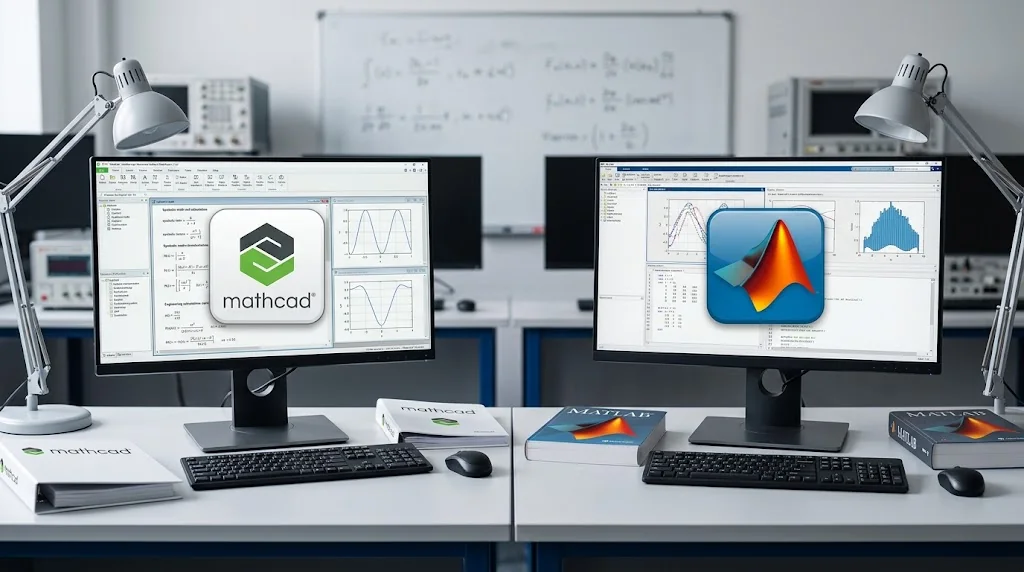
Mathcad vs MATLAB compares two different approaches to engineering and technical computing. Mathcad Prime is centered on worksheet-based calculations where equations, units, text, tables, plots, and results can remain together in a structured engineering document. MATLAB is centered on programmable numerical computing, allowing users to build scripts, functions, algorithms, and data-analysis workflows.
For engineers, analysts, scientists, students, and technical teams, the main question is not which application is universally superior. The more useful question is whether the work primarily requires documented engineering calculations that can be reviewed as calculations or programmable numerical and data-analysis workflows.
Before purchase, check the current ProSoftStore listings for the Mathcad Prime and MATLAB versions offered.
Quick Check
Choose the Mathcad path when the engineering deliverable needs equations, assumptions, units, explanatory text, plots, and results to remain together in a calculation-oriented worksheet.
For programming-oriented numerical work, data processing, reusable scripts and functions, or algorithm development, review the current MATLAB software listing for the exact version and package details offered by ProSoftStore.
Short Distinction
Mathcad Prime and MATLAB overlap in engineering mathematics, but their primary workflows are different.
Mathcad Prime uses a worksheet environment. PTC documents regions for mathematics, text, tables, plots, solve blocks, images, and other supporting content. That structure allows the calculation and its explanation to remain together in one document.
MATLAB uses a programming-oriented technical-computing environment. Its workflows commonly involve numerical arrays, scripts, functions, algorithms, imported data, and visualizations. MATLAB Live Editor can also combine executable code, output, equations, graphics, and formatted explanatory text.
In practical terms, Mathcad emphasizes documented engineering calculation, while MATLAB emphasizes programmable numerical computation.
Readers still separating engineering mathematics from other technical-software categories may find the guide to the four main types of CAD software useful for understanding why a numerical-computing decision should remain distinct from a CAD-category decision.
Typical Engineering Workflows

A typical Mathcad workflow starts with assumptions, variables, formulas, units, constraints, and explanatory notes. Calculations can be arranged visually so another engineer can follow how the inputs lead to intermediate steps and final results.
PTC's worksheet system supports math regions alongside text, tables, plots, and solve blocks. This makes the working file itself part of the engineering documentation rather than requiring the calculation logic and explanation to live in separate documents.
MATLAB workflows commonly begin with datasets, arrays, scripts, functions, or algorithms. The programming model supports repeated computations where the same process must be applied across many values, datasets, or scenarios.
This distinction matters when evaluating engineering mathematics software. A worksheet-driven calculation package and a programming-driven numerical environment can overlap in some mathematical tasks while still serving different primary jobs.
Notation and Units
Notation and units are a major difference in the Mathcad vs MATLAB comparison.
Mathcad Prime lets users construct calculations directly in mathematical regions using conventional notation. Units can participate in calculations, including solve-block workflows, and dimensional consistency can be checked as part of the calculation process.
This can be valuable where unit handling and dimensional review are part of engineering verification.
MATLAB's base numerical workflow is primarily array- and variable-oriented rather than built around engineering units as an inherent property of ordinary numerical arrays.
MathWorks provides symbolic unit operations and dimensional-analysis functionality through Symbolic Math Toolbox, which is a separate product that requires MATLAB. Those capabilities should therefore not be presented as if they are automatically included in base MATLAB.
The distinction is less about whether unit-aware computation is possible and more about how central units are to the normal workflow.
Programming and Automation
Both products support reusable calculation logic, but programming plays a different role in each.
Mathcad Prime supports programs with local assignments, loops, conditional logic, and error handling within the broader worksheet environment. Current PTC documentation for Mathcad Prime also documents controls and scripting-related capabilities.
These tools allow iterative or conditional calculations while preserving the worksheet as the main calculation document.
MATLAB is more fundamentally programming-oriented. Its normal workflow revolves around scripts, functions, variables, arrays, and reusable computational routines.
That makes MATLAB relevant when automation means building a repeatable numerical process rather than primarily documenting a sequence of engineering equations.
The difference should not be reduced to one product being “easy” and the other “hard.” They represent different ways of expressing, reviewing, and reusing technical work.
Numeric and Symbolic Analysis
Mathcad Prime supports both numerical and symbolic workflows, subject to the capabilities of the verified version.
For numerical work, Mathcad supports engineering solvers and calculation workflows within the worksheet. Mathcad Prime also includes symbolic-processing capabilities as part of the Mathcad environment.
MATLAB itself is primarily a numerical-computing platform. Symbolic operations such as symbolic algebra, calculus, equation solving, and related workflows depend on Symbolic Math Toolbox.
That package distinction is important because symbolic mathematics should not be described as a standard base-MATLAB capability when the workflow actually depends on an additional toolbox.
The same principle applies to other specialist MATLAB domains. Current MathWorks product-availability documentation shows that many capabilities require separate toolboxes or products, sometimes with additional dependencies of their own.
Data and Visualization
Both applications can connect calculations with graphical results, but the surrounding workflows differ.
Mathcad places plots in the worksheet beside equations, text, tables, units, and calculated values. This allows the plot to remain visually tied to the calculation that produced it.
MATLAB visualization is closely connected to arrays, imported data, scripts, and analytical routines. Its programming model makes it suitable for workflows where data must be repeatedly transformed, analyzed, and visualized.
For work centered on programmatic data analysis, MATLAB's structure may align more directly with the task. For work where plots need to remain part of a documented engineering calculation, Mathcad's worksheet model provides a different approach.
A separate ProSoftStore comparison of MATLAB and AutoCAD workflows is relevant when the uncertainty is whether MATLAB's numerical/data-analysis role is being confused with a CAD-design workflow. That comparison does not replace the Mathcad vs MATLAB decision addressed here.
Documentation and Review
Documentation and reviewability are central to the Mathcad workflow.
A Mathcad worksheet can place equations, assumptions, units, tables, plots, images, and results in the same visual document. Reviewers can therefore follow the calculation from its inputs through intermediate steps to the result.
This can be useful when another engineer needs to inspect:
- the starting assumptions;
- equations used;
- units and dimensional relationships;
- intermediate values;
- calculation constraints;
- final outputs.
MATLAB also supports documented computational work, particularly through Live Editor. Live scripts can combine executable code, output, plots, formatted text, equations, and explanatory material.
The distinction is therefore not that only one product can document work. Mathcad treats the visual engineering calculation itself as the central document, while MATLAB Live Editor documents an executable programming workflow.
Reuse and Integration Verification
Reuse is possible in both applications, but the reusable unit is different.
Mathcad can reuse worksheet logic, parameterized calculations, functions, and solve-based workflows. PTC also documents Excel integration requirements for Mathcad Prime, so workflows depending on Excel should be checked against the supported Office environment.
MATLAB reuse more commonly takes the form of scripts, functions, classes, numerical routines, or executable live scripts.
For operating-system support, check the currently supported operating systems for the exact Mathcad Prime and MATLAB configurations being considered.
Integration claims should still be checked against the exact version, base product, toolbox, and external system being used rather than inferred from the product family name.
Simulation & CAE software should be evaluated as a separate software-selection decision rather than as part of the Mathcad-vs-MATLAB calculation comparison.
Scenario Table
| Engineering Need | Workflow More Closely Aligned |
|---|---|
| Present equations as part of an engineering calculation document | Mathcad |
| Work directly with units throughout worksheet calculations | Mathcad |
| Prepare calculations for step-by-step technical review | Mathcad |
| Combine equations, text, plots, and results in one calculation document | Mathcad |
| Reuse worksheet-based engineering calculations | Mathcad |
| Develop numerical algorithms through scripts and functions | MATLAB |
| Perform repeated array- or dataset-based calculations | MATLAB |
| Build programming-oriented analytical workflows | MATLAB |
| Combine executable code, outputs, and explanatory text | MATLAB Live Editor |
| Perform symbolic calculations in Mathcad Prime | Mathcad supports symbolic work |
| Perform symbolic calculations in MATLAB | Verify Symbolic Math Toolbox |
| Use specialist MATLAB engineering functionality | Verify the required toolbox/product |
This table describes workflow alignment rather than ranking the products.
Mathcad and MATLAB can overlap in numerical engineering work, but the deciding factor should be the way the work needs to be created, reviewed, reused, and delivered.
If software cost is also being evaluated, treat it as a secondary factor; for Mathcad vs MATLAB specifically, workflow fit remains the primary question.
When They May Complement Each Other?

Mathcad and MATLAB do not have to be treated as full replacements for one another.
A project can contain programming-heavy numerical analysis as well as engineering calculations that need to be clearly documented and reviewed.
For example, MATLAB can be used for a data-processing or algorithm-development stage, while Mathcad can be used for a calculation package that presents selected equations, assumptions, units, and results in worksheet form.
The practicality of such a workflow depends on:
- the exact application versions;
- required file formats;
- data-transfer method;
- toolboxes or additional products;
- automation requirements;
- integration points.
It is therefore safer to verify the intended exchange path than to assume that every calculation, dataset, or document can move directly between the two environments.
This complementary-use model is most relevant when a team deliberately separates computational development from engineering calculation documentation.
Store Scope and Next Steps
Check the current listed versions and prices before purchase; workflow fit should remain the primary comparison criterion.
Users whose primary requirement is creating, presenting, checking, and reviewing engineering calculations in structured worksheets can review the current PTC Mathcad software listing for the exact version offered.
Users whose primary requirement is programmable numerical computing, scripting, reusable functions, algorithm development, or data analysis can review the current MATLAB software listing for the exact version and package details.
If the requirement moves from engineering calculation into CAD design and modeling, treat that as a separate software-selection decision rather than part of this comparison.
ProSoftStore sells specific listed product versions for a one-time payment.
That wording should not be interpreted by itself as evidence of lifetime updates, guaranteed offline use, transferable activation, unlimited reinstalls, or future-version entitlement.